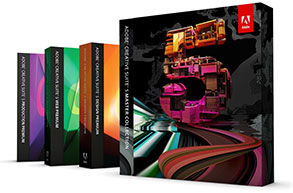
Adobe Creative Suite 5 Is Now Shipping!

April 29th, 2010 12 comments

Get CS5 Now

Yes, CS5 is out! It looks like a phenomenal release, and we have full coverage – including new products, pricing, configurations, system reqs, videos, “what’s new” feature lists, and more:

ALL CS5 products are immediately available for purchase and instant download, with free shipping on all Adobe orders over €500/£350 in Europe and the U.K. (no coupon or promo code is required)…

On Adobe’s site: If you’re considering upgrading from your current software, here’s a helpful upgrade guide. Also new is an excellent FAQ covering purchasing policies and key product changes… The online documentation for all CS5 products also just went up.

Lastly and importantly, the CS5 free trial downloads and Student and Teacher Editions
(up to 80% off) are also now available!

[UPDATE (May 13th) – Adobe CS5 is now shipping and downloadable in 16 languages: English, French, German, Japanese, Spanish, Portuguese, Italian, Dutch, Danish, Swedish, Norwegian, Finnish, Czech, Polish, Russian, and Korean.]

Categories: Tools Tags: , , , , , , , , , , , ,
Share/Bookmark

Adobe CS5 Free Trial Downloads Now Available

April 29th, 2010 8 comments

Click to immediately download whichever you like, from Photoshop CS5 to Master Collection!
All CS5 trials are fully functional for thirty days and can run side-by-side on your system with older versions, without interference. The Windows or Mac downloads can be installed on multiple computers if desired – and if and when you are ready to buy, you can easily convert your trial to permanent unrestricted use without reinstalling the software in most cases:

Download CS5 Free Trials

Download CS5 Master Collection Trial Download CS5 Design Premium Trial Download CS5 Web Premium Trial Download CS5 Production Premium Trial Download Adobe Photoshop CS5 Trial Download Adobe Dreamweaver CS5 Trial Download Adobe Illustrator CS5 Trial Download Adobe InDesign CS5 Trial Download Adobe Flash Professional CS5 Trial Download Adobe Flash Catalyst CS5 Trial Download Adobe Flash Builder 4 Trial Download Adobe Contribute CS5 Trial Download Adobe Premiere Pro CS5 Trial Download Adobe After Effects CS5 Trial Download Adobe Fireworks CS5 Trial Download Adobe Soundbooth CS5 Trial

Note there is a single trial download for Photoshop – it’s Photoshop CS5 Extended, which includes the Standard version. You decide which you wish to activate at the time of purchase.* The same thing goes for CS5 Design Premium and Design Standard – you get the bigger one and choose later. Also, the trials for the suites do not bundle Acrobat 9 Pro – so it must be downloaded separately.

If you’re upgrading to CS5, you can install a trial and then buy an upgrade to convert your trial into a purchased version. What’s more, a single CS5 purchase may entitle you to install and activate the software on two systems with certain restrictions. No serial number is needed to download or run the trials. For more information on these and other questions, refer to the full CS5 Trial FAQ.

See also: The complete CS5 Product Matrix, CS5 Price Sheet & CS5 System Requirements.


* Note that for Adobe’s Education (Student and Teacher) Editions, there is only one version of Photoshop offered or available – the top-of-the-line Photoshop CS5 Extended. The good news is you’re getting 80% off the regular price!

[UPDATE (May 25th) – If you prefer you can use the direct download links for CS5. If you need the free trials for earlier Adobe releases like CS4 and CS3, they're available for download here.]

Categories: Steals Tags: , , ,
Share/Bookmark

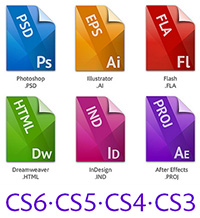
Version Comparison: Differences between CS5 vs. CS4 vs. CS3

June 14th, 2010 2 comments

One of the most common upgrade questions we see out there is asking what’s new, what’s different, what’s better, what’s changed between Adobe CS5 and CS4? Or more fundamen­tally, what are the key new features in CS5, versus CS4, or even CS3?

Get Adobe Creative Suite 5

Creative Suite 5 contains hundreds of new or enhanced features and func­tions across the 15 point products that comprise it. So the easiest way to look at it is by major product… For example, Photoshop CS5 Extended con­tains 18 new features that CS4 didn’t have, plus a further 14 more that have been enhanced. The numbers are similar for other products and even greater over CS3 of course – although generally speaking CS5 has significantly more improvements and innovation compared to CS4 than CS4 had over CS3.

CS4 was certainly a capable release (we used it here every day), but some folks have com­mented that CS5 is really the release they wanted when CS4 came out and that CS5 is a game-changer over both previous versions… On that account, we haven’t seen a bad review of CS5 yet.

So for the breakout by individual product, here are the CS5 vs. CS4 vs. CS3 comparisons:

Read more…

Categories: Tools Tags: , , ,
Share/Bookmark

Free New Video Tutorials for All Adobe CS5 Products

May 4th, 2010 2 comments

Learn Creative Suite 5

We’ve covered AdobeTV before, but it just keeps getting bigger and better… They’ve just issued a large series of free new video tutorials for every CS5 point product. You can learn the basics with Getting Started overviews and New Features re­views by product experts, fourteen hours in all. And if you want to get started today, you can go ahead and down­load a 30-day free trial for any CS5 product and begin getting trained…

Here’s how it breaks out:

The extensive how-to series was produced by Lynda.com in partnership with Adobe.

Categories: Tips Tags: , , , ,
Share/Bookmark

What’s the Difference on Adobe CS5 Student Editions vs. Regular?

July 9th, 2010 12 comments

Adobe CS5 Student and Teacher Editions Discount

The Adobe Student and Teacher Editions look like a great deal. They offer big discounts, as much as 80% off normal prices. They’re available for most of Adobe’s product line, including Creative Suite 5, Lightroom 3, Acrobat 9, and Elements 8. They can be purchased by anyone who qualifies – primary and secondary school students, college or university students, faculty, teachers, and administrators. Even part-time students or teachers can be eligible, and there is no age limitation. They’re available pretty much worldwide in many languages on both Windows and Mac, and you don’t need any kind of coupon or promotion code to get the deep discounts.

So what’s the catch? Is the Academic software different or limited somehow? Is there any sort of time restriction, time limit, or time out – do Adobe Student Editions expire? Or are they unusable for commercial purposes?

Read more…

Categories: Deals Tags: , , , , ,
Share/Bookmark

5 Reasons to Upgrade to Creative Suite 5

June 30th, 2010 Leave a comment

If you haven’t upgraded to Creative Suite 5, you’re missing out on new ways to reach customers, differentiate your brand, and save your company time and money in the process. Here are five good reasons to upgrade to CS5:

Productivity

Download and Try Creative Suite 5

CS5 brings quantifiable efficiency to users (see just-released benchmarks) through its optimi­zation for the latest hardware and operating systems and its focus on reducing common prod­uction tasks from days to hours and from hours to a few mouse clicks. For example, CS5 users can work up to 10X faster with large Photoshop images, get jaw-dropping video-editing speed, and perform numerous work­flow-specific production tasks in a fraction of the time.

Differentiation

CS5 introduces rich new creativity features for print, web, interactive, mobile, and video professionals to produce compelling content and stories that make brands stand out in a crowded marketplace. For example, companies can incorporate cutting-edge 3D objects and motion graphics into their creative thanks to new Repoussé technology in Adobe Photoshop CS5 Extended.

Read more…

Categories: Tools Tags: ,
Share/Bookmark

Photoshop CS5 Reviews: What Are They Saying?

May 5th, 2010 Leave a comment

So Adobe Photoshop CS5 is finally out in its official release, with over 100 new and enhanced features… What’s the word out there so far? First, a quick summary of what’s new:

 ◊ Photoshop CS5 delivers exceptional power and creative control with the next generation of advanced tools for outstanding image manipulation and superior compositing. It redefines image editing with a strong focus on photography, including breakthrough selection capabi­lities, content-aware fill options, state-of-the-art processing of raw images, advanced creation of High Dynamic Range (HDR) imagery, automated lens corrections, extraordinary new painting effects, and a sweeping range of workflow and performance enhancements that boost productivity.

 ◊ Photoshop CS5 Extended takes it even further, as a superset of tools and features made for professionals who want to push the boundaries of digital imaging. It delivers all the editing, compositing, and painting capabilities of Photoshop CS5 plus powerful new features for creat­ing stunning 3D artwork from selections, graphics, and type with direct control over lighting, materials, and meshes.

And here’s what the reviewers have to say about it:

“When was the last time software changed the way you think and see? Photoshop CS5 will.”
  — John Paul Caponigro, photographer

“Each new version of Photoshop has included many exciting enhancements, but Photoshop CS5 is the most amazing technological jump I’ve seen since I started using the software.”
  — Ira Block, Ira Block Photography

“The Content-Aware Fill feature in Photoshop CS5 got a wow from me when I first used it. It is very good at replacing areas where you would otherwise need to use more strokes and time to clone or heal out a distracting element in a photograph.”
  — Dianne Taylor-Misztela, TM Photo

Read more…

Categories: Tools Tags: , ,
Share/Bookmark

Is CS5 64-Bit-Only? And Other Top Questions Answered

April 28th, 2010 19 comments

Last week there was an online Q&A session called “Ask a CS Pro,” where we got news on when CS5 would be released. The session with Adobe Evangelists Terry White, Greg Rewis, and Jason Levine lasted over an hour and there were a lot of other great questions address­ed. Here are some:

 Q:  Is Creative Suite 5 64-bit-only? Or will it run on 32-bit systems?
 A:  Only two CS5 applications are exclusively 64-bit, Premiere Pro and After Effects. The rest, including Photoshop, will run in either 32-bit or 64-bit environments, including Windows XP. But CS5 users running on 64-bit native should realize noticeably greater gains in performance, in some cases as much as ten times the previous speed.
 Q:  How can I tell if my system can run the 64-bit applications?
 A:  See is your PC is running a 32-bit or a 64-bit version of Windows, or if your Intel- based Mac has a 32-bit or 64-bit processor. Complete system require­ments for all CS5 products can be found on this page. See also Adobe’s helpful CS5 FAQ.
 Q:  What if I buy CS5 but don’t have a 64-bit computer yet?
 A:  If you decide to buy CS5 Production Premium or CS5 Master Collection, then compli­mentary 32-bit compatible versions of Premiere Pro CS4 and After Effects CS4 will be provided with your purchase (details and usage here).
[UPDATE (May 19th) – If you need the standalone CS4 versions of After Effects or Premiere Pro (for 32-bit systems or Windows XP), or any other CS4 product for that matter, you can find them still available for download here.]
Ask a CS Pro (replay)
 Q:  Will there be a new version of Acrobat Pro in the suites?
 A:  CS5 ships with Acrobat Pro 9. There is no new version of Acrobat yet.
 Q:  Will Content-Aware Fill allow me to select animals like pets better than CS4?
 A:  Actually it’s the new Edge Detection features that will do that in Photoshop CS5.
 Q:  Is there new support for HTML5 and CSS3 in Dreamweaver CS5?
 A:  These standards were too emerging to incorporate into the CS5 product development cycle last year. However in the coming weeks and months you’ll see new plug-ins and extensions for Dreamweaver that add support for these.
 Q:  I haven’t heard much yet about Fireworks CS5 – what’s new there?
 A:  For Fireworks, there are some new features but a lot of enhancements with many stability and performance improvements. It’s all covered perfectly here.
 Q:  Will Illustrator CS5 finally convert from layers to pages in PDF?
 A:  You can do this with multiple artboards in CS5 which will convert to multiple pages in PDF.
 Q:  Terry, I saw your InDesign ePUB for iPad video. Will the ePUBs produced with Adobe apps still be accepted by iTunes or has that changed?
 A:  ePUBs produced by InDesign CS5 should be accepted by the iBookstore AND in iTunes directly, as I did in my video.
 Q:  What about plug-ins for After Effects – do they have to be 64-bit as well?
 A:  Yes, After Effects CS5 plug-ins also have to be native 64-bit, but Adobe has been working closely with major plug-in developers to have them ready.
 Q:  I’ve heard about the new Mercury Playback Engine in Premiere Pro CS5. What if I don’t have one of the supported graphics cards?
 A:  Mercury is a software engine written from the ground-up to leverage all RAM and all cores in your system, to maximize playback and rendering. At the moment, five NVIDIA cards are supported, with more coming. But you can still run quite brilliantly in software-only mode without GPU acceleration (for example, on a MacBook).
 Q:  What Content Management Systems (CMS) does Dreamweaver support?
 A:  Dreamweaver CS5 can work with any PHP-based CMS (e.g., WordPress, Joomla, Drupal), even homegrown, as long as Dreamweaver can connect to the server. You can style with CSS, rework JavaScript, and change HTML, all without having to leave Dreamweaver itself.

What other questions do you have about CS5? Just ask in the comments below and we’ll see if we can get them answered quickly for you.

Categories: Tips Tags: ,
Share/Bookmark

Adobe Dreamweaver CS5 Embraces HTML5 and CSS3

May 21st, 2010 Leave a comment

As reported earlier here and here, and contrary to what some rabble-rousers might want you to believe, Adobe very much wants to be a big part of the future of HTML5… As the leading provider of web development tools, Adobe needs to be the leading provider of whatever the future of web development tools is, else they lose their relevancy. And they just took a big first step with the official announcement of the free HTML5 Pack for Dreamweaver CS5, which was tipped at an Adobe Evangelist Q&A session last month…

Get the Dreamweaver CS5 HTML5 and CSS3 Extension Pack

While HTML5 and CSS3 won’t be finalized for some time, this extension provides initial support in Dreamweaver CS5 for a set of currently-implemented functions, helping you easily create HTML5 pages and CSS3 styles. It introduces great features like multiscreen preview (which lets you see what your web page will look like on phones, tablets, and desktop computers simultaneously within Dreamweaver), HTML5 and CSS3 code hinting, video and audio tag support in Live View, and even a few HTML5-compliant starter layouts to get you up and running with HTML5 layouts quickly.

If you’ve been tuned into the technology news lately, you’ll know these sorts of improvements mark a great advance for Dreamweaver users working in this fast-changing world of smart­phones and other portable devices. Although their specifications are still being finalized, HTML5 and CSS3 can be used with any browser that currently supports them. The most recent ver­sions of the leading browsers (Safari, Firefox, Opera, Internet Explorer, Chrome) support at least some (a few support many) HTML5 and CSS3 features.

Here’s a complete list of available resources for these new capabilities, available immediately:

Categories: Tools Tags: , ,
Share/Bookmark

Advanced Magic with Photoshop CS5’s Content-Aware Fill

May 12th, 2010 Leave a comment

There are hundreds of new features and functions in Adobe’s Creative Suite 5, but perhaps the most talked-about is Photoshop’s Content-Aware Fill – which allows you to move or delete content and Photoshop will automatically and intelligently fill in the space left behind. We’ve written about it before here with the quote, “Any sufficiently advanced technology is indistinguishable from magic.” [Arthur C. Clarke]

But does the real feature live up to its advance billing?

While it’s not perfect and doesn’t always do what you hope or imagine (after all, it’s still just a computer), generally in practice it still does amazingly well – and often unbelievably so. And we have a handful of new videos here to illustrate, thanks to Terry White and Russell Brown. The tips and techniques shared below will help you get the most out of this capability.

The first video covers the best new features in Photoshop CS5 generally, including three great examples of Content-Aware Fill in action… The second, to the right, introduces the concept of Content-Aware Rotation – magically filling in the missing parts to the background of a rotated image with Content-Aware Fill. The third one develops the technique of Wire Removal with Content-Aware Healing – easily removing unwanted lines and wires from your images. And the last video shows how to create Content-Aware Patterns – discovering creative ways to accurately control, and create, patterns with Content-Aware Fill.

Read more…

Categories: Tips Tags: , ,
Share/Bookmark