Adobe Releases CS5.5 – Now Shipping plus Download Free Trials
[UPDATE (May 2012) – The all-new Creative Suite 6 is now shipping!]
Three weeks after its official introduction, Adobe this morning has released Creative Suite 5.5, with major upgrades for mobile, publishing, HTML5, video, audio, and Flash. The CS5.5 configurations are similar to CS5 and the product prices are the same. The new software is available immediately for Windows and Mac via full purchase or discounted upgrade (from as far back as CS2), with delivery via boxed shipment or instant download.
Adobe has simultaneously made CS5.5 free trials available for download (with the new Adobe Download Assistant app). These trials are fully-functional for 30 days and work side-by-side with any previous version(s) of the Creative Suite, including CS5. If you decide not to buy CS5.5 when the trial period is up, you can just uninstall it and your older software will continue to run – while buyers can easily convert their trial to permanent use without reinstalling the software. For upgrades, you can install a trial and then buy an upgrade to convert your trial into a purchased version. (For more information, refer to the complete Trial FAQ.)
If you have any difficulty with that process, you can instead use the direct download links to get the Adobe CS5.5 trials without the Download Assistant.
The CS5.5 Student & Teacher Editions are also now shipping. These offer up to 80% off the regular prices for education customers including students, teachers, and academic staff. Just be sure you know the key differences between Adobe’s academic versions vs. regular.
Adobe CS5.5 is Out!
[UPDATE (May 2012) – The all-new Creative Suite 6 is now shipping!]
Yes – Adobe CS5.5 has just been announced with all the details… Pretty much on the timeframe we forecast, you can learn about and order any of the new products or suite editions, or download a free CS5.5 trial. And while the version and software have changed, the boxes look much the same as before.
For this “mid-cycle release” coming one year after CS5 first arrived, Adobe is offering similar configurations and prices, but with most of the individual products receiving additional features, enhanced functionality, updated technologies, or nice performance boosts.
Overall we present some highlights here, but see our two companion “what’s new” articles for: (1) an overview of the key differences between CS5 and CS5.5, including what’s been added and what’s been taken away, and (2) a detailed product-by-product review of the significant new features and enhancements in CS5.5.
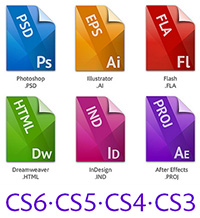
What Are the Differences: CS6 vs. CS5.5 vs. CS5 vs. CS4 vs. CS3?
One of the most common upgrade questions we see out there is asking what’s new, what’s different, what’s better, what’s changed between Adobe CS6 and CS5.5 or CS5? Or more fundamentally, what are the key new features in CS6 versus prior versions, even compared to CS4 or CS3?
Creative Suite 6 contains hundreds of new or enhanced features and functions across the 14 point products that comprise it. So the easiest way to look at it is by major product… For example, Photoshop CS6 Extended has 62% more new features added in this cycle compared to the previous one, and nearly twice as many JDI requests (user-focused “Just Do It” items) addressed. You’ll find the details on these linked from the table below.
Adobe turns 30 this year. Over the decades the company has excelled at creating software that abstracts the latest technology in a way that makes it easy for customers to express unique ideas and deliver those ideas in a variety of media. Whether you’re editing an image with Photoshop, creating vector graphics in Illustrator, or laying out a page in InDesign, the goal of Creative Suite 6 is to give you total creative freedom along with the control and precision to ensure the highest quality when it comes to production. And when you combine the new time-saving features in CS6 together with the major reengineering of key user interfaces – in particular Photoshop, Illustrator, and Premiere Pro – plus further deep optimization of tool performance, you should be able to get that work done faster and more efficiently.
What’s New in Adobe CS5.5 Upgrade? A Product Feature Overview
Adobe today has launched Creative Suite 5.5 and we just took a high-level look at how CS5.5 is different from CS5 – and so now here we’ll step through the significant new features at an individual product level, product-by-product…
The upgraded applications and their key new functionalities are detailed below. If you’re coming from further back and would like to know the differences between older versions – like an upgrade from Adobe CS4 to CS5.5, or from CS3 to CS5.5 – the last section will also help.
Major Changes to the Creative Suite Products
- What’s New in Photoshop CS5.1?
- What’s New in InDesign CS5.5?
- What’s New in Dreamweaver CS5.5?
- What’s New in Flash Professional CS5.5?
- What’s New in Flash Catalyst CS5.5?
- What’s New in Flash Builder 4.5?
- What’s New in Premiere Pro CS5.5?
- What’s New in After Effects CS5.5?
- What’s New in Audition CS5.5?
- What’s New in Acrobat X Pro?
- And Illustrator, Fireworks, Contribute CS5?
- What’s New in the CS5.5 Suite Editions?
- Differences from Older Releases (CS3 & CS4)?
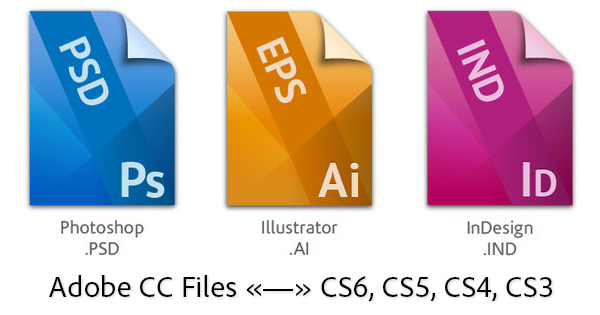
Can You Save/Open CS6 Files on CS5, CS4 or CS3 – and Vice Versa?
[UPDATE (May 2013) – Confirmed: Adobe's tools in the upcoming new "CC" release will be able to export or save back to older CS6 file formats.]
This is one of the top questions we get. Especially now that Adobe is releasing a new version of Creative Suite once per year – with each edition potentially bringing a different or expanded file format – customers want to know if their existing projects will easily carry forward with them when they upgrade, or if they will be able to save back to older formats for clients or colleagues who are still running an earlier version of the tools…
OK then, here’s how it works. Generally, your new CS6 tools (including those in the Creative Cloud) will be able to open and use any and all earlier project and data files no problem (including CS3, CS4, CS5 and CS5.5 files), without any loss of information. In other words, all Adobe software is able to read or import file formats from previous versions of the same program – and it should happen automatically.
Going the other way, when wanting to use CS5 or older tools to open a file saved from a CS6 product, the answer is it depends… Let’s take a look at the interoperability for each application within the Creative Suite, then at the bottom we’ll talk about some additional tips and best practices no matter what your situation.
Is There a Photoshop CS5.5? No, But There’s a Photoshop CS5.1
Big question out there with Adobe’s unveiling of Creative Suite 5.5 yesterday – is there a new version of Photoshop for CS 5.5?
We’ve already taken a close look at this with our extensive release review of all CS 5.5 products. But Photoshop is the most popular product of the suite, so the new functions here deserve special focus:
Photoshop will in fact be getting a revision to CS5.1 while extending the creative process beyond the desktop by helping integrate tablet devices into creative workflows. The new Adobe Photoshop Touch SDK (Software Development Kit) allows developers to create companion apps that run on mobile platforms like the Apple iPad, Motorola Xoom, and RIM PlayBook… The SDK controls an internal scripting engine to perform directed actions within Photoshop CS5 – thus enabling cool new applications like color mixing and painting on tablet devices.
Adobe CS6 vs. CS5.5 Comparison – What’s the Difference Between?
Adobe has just unveiled Creative Suite 6 – and one of the upgrade questions people are asking is what’s new, what’s different, what’s changed in CS6 as compared to previous version(s)? Adobe calls it, “a killer release with hundreds of new capabilities rolling up four focus areas: application performance, enhanced user interface, efficient development for multiple devices, and making previously impossible things possible.” So our job here is to give you a quick “cheat sheet” on top new features, to help you decide about upgrading…
CS6 updates almost all of the individual products from CS5, including Photoshop, Illustrator, Dreamweaver, Fireworks, Flash Pro, InDesign/InCopy, Premiere Pro, After Effects, Audition, and Encore. Learn more about all the new features added to each of these applications in detail, with our special coverage.
The CS5 tools not revisioned to CS6 are Flash Catalyst, Contribute (upgraded to new version 6.5 but sold standalone), OnLocation, and Device Central. Acrobat and Flash Builder are included in the suites but remain the same versions as before.
In addition there are two new applications introduced: Prelude CS6, a video ingest and logging tool to help tag and transcode footage rapidly, and SpeedGrade CS6, a professional color grading system that brings state-of-the-art color science to your video productions. These new tools are included in both the Production Premium and Master Collection suites.
Download Adobe CS5.5 Trials: Direct Links (no Assistant or Manager)
[UPDATE (5/7/2012) – These still work to download the CS5.5 trials.
We also now have the new CS6 Direct Download Links!]
Some of the most visited resources on this site are the direct download links provided for most major Adobe products. So continuing in this tradition, here is a complete set of direct download links for all the new Adobe Creative Suite 5.5 software (Windows and Mac), for instant easy access and the ability to use your own download manager or download assistant if you have any difficulty with what Adobe normally employs and need to get the CS5.5 trials without it…
We have also linked the free CS5.5 Extra Content downloads (aka Additional or Functional Content) for all available products.
Below is a table for CS5.5 trial downloads in major languages. These links go to the authentic and original CS5.5 files residing on Adobe’s servers, are guaranteed genuine and will not change. For Windows, each program consists of up to two files, an .exe and a 7-Zip file (.7z). The .exe file will only work when the .7z file is also fully downloaded and resides in the same location. For the Mac, it’s just a single .dmg file for each program.
Adobe CS5.5 FAQ – Customers’ Top Questions Answered
Last week Adobe unveiled Creative Suite 5.5 and held an expert session to address common questions and answers about the new release. We covered part of this session in our earlier piece on the free-upgrade grace period for CS 5.5…
And here, without further ado, is the rest of the shared knowledge from those Adobe Evangelists.
If you have any questions at all about the release that are not answered here or by our CS5.5 launch overview, or comparison to CS5, or new product feature articles, just leave them in the comments below and we’ll get answers!
Topics
What’s in Adobe CS5.5 for Me? Ask a CS Evangelist
Since Creative Suite 5.5 was launched three weeks ago, Adobe has held three “Ask a CS Pro” sessions to find out more about the new release and get top questions answered. The first one happened on Facebook and we covered it in its entirety. The most recent two included live demo walkthroughs of the new CS5.5 products and features, plus plenty of great Q&A. The replays run about an hour apiece and you can watch videos of them here (April 21st) and here (April 28th).
We have recorded the entire text of the questions and answers from both of these last two sessions and they are shared for you below. Adobe’s Creative Suite Evangelists are Terry White (Design), Rufus Deuchler (Design), Greg Rewis (Web), Paul Trani (Flash Platform) and Jason Levine (Digital Video & Audio).
If you have any questions at all about the release that are not answered here or by our CS5.5 launch review, or comparison to CS5, or what’s new product feature articles, just leave them in the comments below and we’ll get answers!