What Are the Differences: CS6 vs. CS5.5 vs. CS5 vs. CS4 vs. CS3?
One of the most common upgrade questions we see out there is asking what’s new, what’s different, what’s better, what’s changed between Adobe CS6 and CS5.5 or CS5? Or more fundamentally, what are the key new features in CS6 versus prior versions, even compared to CS4 or CS3?
Creative Suite 6 contains hundreds of new or enhanced features and functions across the 14 point products that comprise it. So the easiest way to look at it is by major product… For example, Photoshop CS6 Extended has 62% more new features added in this cycle compared to the previous one, and nearly twice as many JDI requests (user-focused “Just Do It” items) addressed. You’ll find the details on these linked from the table below.
Adobe turns 30 this year. Over the decades the company has excelled at creating software that abstracts the latest technology in a way that makes it easy for customers to express unique ideas and deliver those ideas in a variety of media. Whether you’re editing an image with Photoshop, creating vector graphics in Illustrator, or laying out a page in InDesign, the goal of Creative Suite 6 is to give you total creative freedom along with the control and precision to ensure the highest quality when it comes to production. And when you combine the new time-saving features in CS6 together with the major reengineering of key user interfaces – in particular Photoshop, Illustrator, and Premiere Pro – plus further deep optimization of tool performance, you should be able to get that work done faster and more efficiently.
Download Adobe CS4 and CS3 Free Trials Here (incl. After Effects)
[UPDATE (5/7/2012) – If you'd like to download new CS6 directly see our full set of links.]
Even though Creative Suite 6 is out and is a phenomenal release, some folks still need the earlier versions for various reasons: 32-bit vs 64-bit (e.g., After Effects and Premiere Pro), compatibility with other software or systems owned, the rest of your class or company is still on CS4, you need to reinstall but no longer have your original disks or download file, etc… But this older software is now hard to find – Adobe doesn’t publicize or provide a web interface for it. So if you’ve been searching high and low all over the Internet to find the official Adobe trial downloads for CS4 or CS3, well your search is over!
Below are two tables for CS4 trial downloads in major languages. These links go to the authentic and original CS4 files residing on Adobe’s servers, are guaranteed genuine and will not change. For Windows, each program consists of two files, an .exe and a 7-Zip file (.7z). The .exe file will only work once the .7z package is fully downloaded and resides in the same location. For the Mac, it’s just a single .dmg file for each program.
There are also optional “extra content” downloads included here for most products that consist of one or two additional files, which you can install separately after the main product is installed.
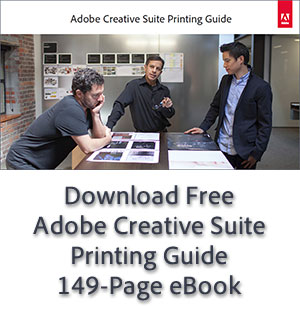
Free Printing Guide for Photoshop, InDesign, Illustrator & Acrobat
Adobe has made available an excellent resource that’s now updated for CS6 – a free printing handbook in the form of a 149-page downloadable e-book: The Adobe Creative Suite 6 Printing Guide. Earlier editions of this book have been out for previous releases (see the older CS5.x, CS4 and CS3 links below), but now this is fully refreshed and upgraded for the most recent versions of the products.
Can You Save/Open CS6 Files on CS5, CS4 or CS3 – and Vice Versa?
[UPDATE (May 2013) – Confirmed: Adobe's tools in the upcoming new "CC" release will be able to export or save back to older CS6 file formats.]
This is one of the top questions we get. Especially now that Adobe is releasing a new version of Creative Suite once per year – with each edition potentially bringing a different or expanded file format – customers want to know if their existing projects will easily carry forward with them when they upgrade, or if they will be able to save back to older formats for clients or colleagues who are still running an earlier version of the tools…
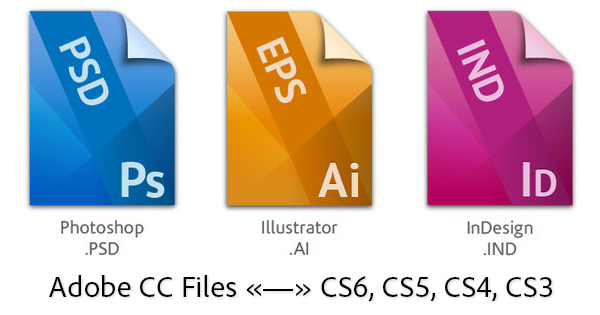
OK then, here’s how it works. Generally, your new CS6 tools (including those in the Creative Cloud) will be able to open and use any and all earlier project and data files no problem (including CS3, CS4, CS5 and CS5.5 files), without any loss of information. In other words, all Adobe software is able to read or import file formats from previous versions of the same program – and it should happen automatically.
Going the other way, when wanting to use CS5 or older tools to open a file saved from a CS6 product, the answer is it depends… Let’s take a look at the interoperability for each application within the Creative Suite, then at the bottom we’ll talk about some additional tips and best practices no matter what your situation.
Adobe CS4 and CS3 Owners: Last Chance Here to Upgrade to CS6
[UPDATE (January 2013) – Existing CS4 and CS3 users can still upgrade to the Creative Cloud and receive a 40%-off discount off the regular price.]
Earlier this year, Adobe made a significant change to their Creative Suite upgrade policy that had been in place since CS3 came out in April 2007…
In a nutshell, they said that the older Creative Suite versions CS4 and CS3 will only be able to get upgrade discounts to CS6 until the end of this year… Starting soon in 2013, only one major version back (i.e., CS5 and CS5.5) will be eligible for upgrade pricing to CS6. This goes for suite editions as well as standalone products like Photoshop.
Here it is, found on their site:
Special upgrade offer for CS3 and CS4 customers
Take advantage of our special introductory upgrade pricing on Creative Suite 6 for customers who own CS3 and CS4 individual products and suite editions. This temporary upgrade offer is valid through December 31, 2012. After that date, only customers who own CS5 or CS5.5 products will qualify for upgrade pricing to CS6.
Read the details about our Creative Suite upgrade policy »
In other words, Adobe’s longtime “three versions back” upgrade policy will last only until the end of this year… Starting in January 2013, owners of any product older than CS5 would have to pay full price, or switch to the Creative Cloud instead.
Adobe CS6 Upgrade Policy Changes Postponed! CS3 & CS4 on Track
= BREAKING NEWS =
Two months ago Adobe made a major change in the Creative Suite upgrade policy that had been in place since CS3 came out in April 2007…
Had you heard about it? If not, here’s what they said on the new upgrade policy for CS6…
In a nutshell, Adobe said only customers running Creative Suite 5 products would be eligible for discounted upgrade pricing to the new CS6 when it comes out.
Customers spoke up and reaction to the change was pretty unfavorable across the web… Results from our own poll here showed a striking 85% against the move including the company’s related business model changes to the Creative Cloud.
And now, in a stunning turnabout, Adobe says they have been listening and are backing off the new policy, in response to customer feedback…
Yes, it’s true – and just as we were one of the first to break the original story, we’re back now with the good news that the older Creative Suite versions like CS3 and CS4 will indeed be able to get upgrade discounts to CS6 in the future.
Here it is from our Adobe Partner Update:
Adobe Extends 20%-Off CS5.5 Upgrades Discount Offer to March
Adobe has just extended their popular current offer for all customers to save an additional 20% off the regularly-discounted upgrade price when you move up to CS5.5 (to either a suite or an individual product) from any earlier qualifying Adobe tool listed below.
This special was set to expire at year-end but has now been extended into March 2012 and continues to be available worldwide, with no coupon or promotion code required. It’s valid for upgrading to all the latest CS5.5 versions, and also includes Photoshop CS5.1 and Illustrator CS5 as well.
The additional time comes following Adobe’s recent news of a major change in upgrade policy whereby only users with CS5.5 or CS5.0 would qualify for upgrade pricing to CS6 when it is released.
[UPDATE (February 13th) – Save 50%! Half-price on full versions of CS5.5 Premium Suites or 15% off everything else with special coupon code...]
The new expiration dates for the additional 20% off upgrade savings are:
North American Store: Extended through March 15, 2012.
European Stores: Extended through 15 March 2012.
Australia/NZ + Asia: Extended through 15 March 2012.
Adobe Photoshop Best Tips, Tricks, Techniques, Training & Tutorials
[UPDATE (October 2012) – Looking for CS6 tutorials? Check out this Photoshop CS6 primer, or 1,000 pages of free CS6 ebooks, or 30 hours of free CS6 videos.]
Adobe Photoshop is a sophisticated tool with a 21-year history and a seemingly-endless array of powerful capabilities. And after spending $549 for the product with discounts (or $199 for students), who wants to pay a lot more to learn how to use it all?
Fortunately there are a number of avenues to get great training and tutorials for free. The first stop is Adobe TV, which has nearly four hours and 37 chapters of 100% free tutorials for Photoshop CS5 alone. There is also a wealth of content for prior versions like Photoshop CS3 and CS4. It’s a good place to get started and orient yourself with the major functions, and all of it is gratis.
For learning how to use the best new features added in Photoshop CS5, take a look at our collection of articles with tours of:
- Content-Aware Fill
- Puppet Warp
- Top Masking Techniques
- Creating Time-Lapse Videos
- Impressionist Oil Painting
We also have a regular page here on the site with a rotating selection of tuts for all versions of Photoshop, stepping through various tips and tricks. And for a terrific set of little-known but very handy techniques, check out Adobe’s Photoshop “Hidden Gems” series with Product Manager Bryan O’Neil Hughes.
Adobe’s New Upgrade Policy for CS6: What It Means for You [Poll]
[UPDATE (January 11th) – Adobe has listened to customers and just reversed this change! CS3, CS4, & CS5 are all good for upgrade to CS6 now.]
[UPDATE (May 2012) – Creative Suite 6 has been released! See how much it costs to upgrade from older versions... CS6 upgrades are now only available from Adobe direct.]
Earlier this month Adobe made a major change in the Creative Suite upgrade policy that has been in place since CS3 came out in April 2007…
Have you heard about it yet? If not, you might want to read the new upgrade policy for CS6.
Also helpful: see Adobe’s planned new business model, a membership-based Creative Cloud.
OK, all caught up? Good. So, how will these changes affect you?
First off, for anybody currently running the latest major release, Creative Suite 5 (either 5.0, 5.1, or 5.5), you’re fine. You will not be affected by this revision, and will be eligible for the discounted pricing on upgrades when CS6 comes out.
For everyone else, if you’re still running older versions – like CS2, CS3, or CS4 – when CS6 releases, you wouldn’t qualify for that upgrade price break. And customer reaction on this point has been understandibly unfavorable.
Adobe is trying to mitigate the impact of this change by offering an extra 20% off all CS5.5 upgrades worldwide until the end of the year the extended date of March 15, 2012 (see banner).
But in trying to figure out what this means for everybody, it might be helpful to first take a step back with the Creative Suite release history and expected future schedule… Here’s how the big picture looks:
Adobe Says No CS6 Upgrade Discounts from Older CS2, CS3, or CS4
[UPDATE (January 11th, 2012) – Adobe has listened to customers and just reversed this change! CS3, CS4, & CS5 are all good for upgrade to CS6 now.]
HUGE breaking news out from Adobe, regarding substantial changes in upgrade pricing and policies for their very popular Creative Suite software…
For several years, the company has offered a “three-versions-back” upgrade policy – meaning anyone who owned a prior CS product up to three major versions back would be eligible for discounted upgrade pricing when moving up to the latest release.
Meaning, if you’ve got CS2, CS3, or CS4 – either a full suite or an individual point product like Photoshop – you can receive price reductions of up to 80% when upgrading to CS5.5.
Adobe now says that will be ending – the policy is going to shift dramatically, worldwide.
Starting in 2012 when CS6 comes out, this will be changing to a “one-version-back” plan – meaning to receive a price break when upgrading to CS6, you need to already be on some flavor of Creative Suite 5 – either CS5 or CS5.5.
So, what does this mean for anybody still running CS2, CS3, or CS4 at that time? Basically, if you want to upgrade later or have been waiting for CS6 to do so, it would cost you full price… To receive a discount from older versions, you’d need to upgrade to CS5 before CS6 ships.
Here it is straight from Adobe’s “Conversations” Blog: