

[UPDATE – The direct links below now all pull to Flash Player 10.3. If you need a release older than that for some reason, you can find them under Archived Flash Player Versions… Looking for a newer version? See the direct download links for Flash Player 11.]

Following our custom of providing the direct download links for major Adobe products such as Creative Cloud, CS6, Acrobat DC, Elements 2023, and Lightroom 6/CC, below you’ll find all the DDL for the just-released new Adobe Flash Player 10.2. This is important because the free Flash Player is the most widely-used and often-downloaded software in world, and some people find it easier to gain access without a download manager (Akamai/Adobe DLM), or with their own DLM, and without additional products or toolbars included.
Check your current Adobe Flash Player version: What version are you running now?
What’s New in Flash Player 10.2?
Flash Player 10.2 introduces Stage Video, a full hardware-accelerated video pipeline for best-in-class, beautiful video across platforms and browsers – making Flash video dramatically more efficient (a 10X reduction in CPU usage in some demos). This advance in performance builds on the benefits of H.264 hardware accelerated decoding and optimized power consumption introduced in 10.1, and works with all of the existing video on the web viewed in Flash Player – so will save significant battery life on portable computers and mobile devices.
Additionally, this release of Flash Player offers all new features like multiple monitor full-screen support (enabling you to watch videos in true full screen on one display while multi-tasking on another), custom native mouse cursors (another popular request from designers and developers), and Internet Explorer 9 (IE9) hardware accelerated rendering support.
And other existing capabilities have been enhanced – like better sub-pixel rendering for superior text readability, fast switch between bitrates to automatically adjust to changing network conditions, and improved localized input method editor (IME) support.
Install now: Get all new Creative Cloud 2026 direct download links and free trials.
So, without further ado, here are the direct download links – just click to download and install:
For Windows 7/Vista/XP/2008/2003 and Mac OS X 10.4 – 10.6
| More Direct Download Links |
|---|
| CC 2026 |
| CC 2019 |
| CS6 |
| Acrobat DC 2026 |
| Captivate 2019 |
| Elements 2023 |
Update: Please see the following page for a complete archive of all older releases of Flash Player – including Flash Player 10 – and going from FP version 2 all the way up to the current/latest version:
» Adobe Flash Player Download Archives
For each previous release provided there (after the “Developers only” section), you will find direct download links to packages containing installers for both Internet Explorer (IE) browsers (labeled with “ax” for Active X), as well as non-IE browsers (Firefox, Safari, Opera, etc).
These installers are given for both Windows (.exe or .msi) and Mac OS (.dmg). Uninstallers are also included in the bundle.
(Note that the most recent version of Flash Player is automatically built in to the Google Chrome browser, so it doesn’t require a separate download.)
Resources
- Adobe Flash Player installation instructions
- Adobe Flash Player full system requirements
- Verify/test installed version of Adobe Flash Player
- Troubleshoot installation problems with Adobe Flash Player
- Configure Adobe Flash Player settings after installation
- Uninstall Adobe Flash Player
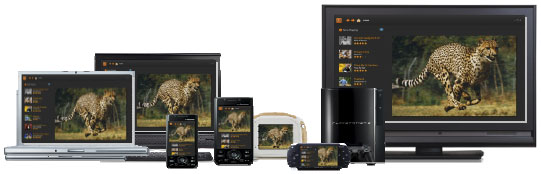
Adobe Flash Player is a cross-platform browser-based application runtime that delivers uncompromised viewing of expressive applications, content, and videos across screens and browsers. Flash is the standard for engaging PC experiences – 99% of PCs worldwide have Flash Player installed and 85% of the top 100 websites use Flash. Approximately 75% of online videos are viewed and 70% of web games are delivered using Adobe Flash technology. More than 3.5 million designers and developers use the Flash Platform to deliver expressive content and applications that run consistently across the widest reach of browsers, operating systems, and devices.
Learn more about Flash Player and the new features in the current version.






can i use all browsers ?
Hi nitra, thanks for your question.
Yes, there are two different downloads for Windows above, depending on which browser(s) you want to use.
There is only one download for Mac that covers all browsers.
Hope this helps!
I want to download adobe flash player 10.2
Hello ravindran, just follow the links and instructions above and you should be fine… and post back if you have any difficulty – thanks.
installing this system, great
adobe flash player
Which Adobe Flash Player is compatible with Samsung Galaxy Ace GT – S 5830? I’ve tried to download different versions, but they still don’t work. SOS
Hello Phil, that depends – what version of Android are you running, is it the latest?
I want adobe flash
Sure, here are the direct download links for Adobe Flash Player 11.3 (the latest), and for Flash Player 10.3.
Hi
i want adobe flash player on my computer. How to install it? thanks for the info.
Some web browsers, like Google’s Chrome, already have Flash Player built in – and you don’t need to do anything extra…
If not, you can download it via https://www.adobe.com/go/getflash