Free Adobe CS6 eBooks — Download 1,022 Pages of New Tutorials
Creative Suite 6 was released earlier this month with much that’s new across the product line, and some other changes like upgrades now being available (only) from Adobe direct.
Last week we posted on nearly 18 hours of free video tutorials for CS6… But printed materials are also nice, to use side-by-side at your own pace. How about some free new e-books to go along with those, which you can instantly download and learn from whenever you want?
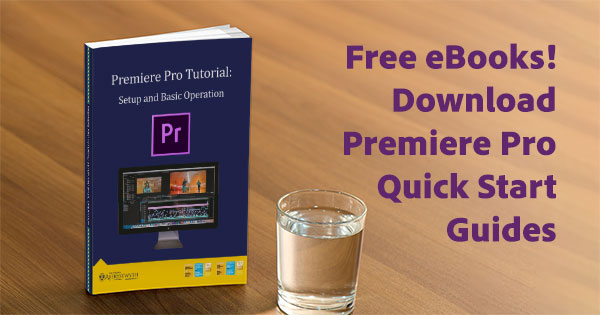
There are 169 chapters in total with over 1,000 pages for most CS6 products. Some tools receive more coverage than others, but the basics are reviewed for all. You can download in the ebooks in PDF format after signing in with your Adobe ID (which is easy to create if you don’t already have one).
If you don’t have the software yet, just download a free working trial for any CS6 product for Windows or Mac – then install, run, and start your training…
Here’s how the files break out. Click on the title to download the e-book, or the trial to get the free product tryout. The book file sizes range from 4-10 MB each, so shouldn’t take long to download. The contents of each volume are listed below the table:
Free New Adobe CS6 Tutorials: 18 Hours of Online Video Training
We’ve mentioned Adobe TV in the past, but it just keeps getting bigger and better… They’ve just published a large series of free new video tutorials for all Creative Suite 6 tools.
You’ll learn the basics with Getting Started overviews plus What’s New reviews by product experts, with nearly 18 hours of content covering all major CS6 applications.
And if you want to get going today, you can go ahead and download a free 30-day trial for any CS6 product for Windows or Mac – then install, run, and start your training…
If you also like learning in print, check out this nice set of free new CS6 e-books (1,022 pages). But here’s how the video courses break out:
Four Hours of Free Tutorials for Lightroom 4, plus Other Resources
Adobe Lightroom 4 is only days old, yet it’s quickly getting rave reviews across the net…
PC Magazine gives it 4½ stars and their Editors’ Choice Award for photo workflow software, writing: “For anyone who’s serious about digital photography, Adobe Photoshop Lightroom 4 is now a more essential tool than ever – this is the app you need.”
Digital Photography Review also has great things to say: “Lightroom 4 is a substantial upgrade … offers an impressive list of features … on image quality, the Lightroom team has kept its eye on the prize … consistently getting pleasing results in fewer steps … works impressively well on a range of images … you can get superior results compared to previous versions … video users will also be pleased … welcome surprise price drop … compelling reasons to upgrade.”
And there is already a wealth of free learning resources available… Here are some good ones:
Using Adobe CS5 to Create Websites and Apps for Mobile & Tablets
If you’d like to learn how to use Adobe’s Creative Suite tools to easily and portably create websites and apps for tablets, smartphones, and mobile devices there’s a new 2¼-hour course you’ll be interested in…
Guru Paul Trani teaches an extensive free class with 18 video chapters that will take you step-by-step on how to create portable content that will run on both Apple iOS and Google Android devices with a wide variety of screen sizes using a single code base. Basic usage of HTML5 and CSS3 is covered, as well as how to bring in Adobe’s recent additions PhoneGap (for building fast, cross-platform mobile applications) and Typekit (for delivering custom web fonts).
The first half of the video series employs Adobe Dreamweaver CS5.5 to develop both websites and apps, with steps on how to convert a website into a portable mobile app. The tutorials then move on to using Flash-based tools (with Adobe AIR) to build multi-platform mobile apps. We already know that Flash Professional CS5 can be used to build apps for the iPad and iPhone, but this takes it a step further. The videos guide you all the way through to how to publish your app to your device and to the Android Market (which shows immediately) or to the Apple App Store.
How to Use Photoshop to Create a Time-Lapse Video from Photos
Time-lapse photography videos are all the rage these days… Here is one of our recent favorites from Norwegian landscape photographer Terje Sorgjerd – incredibly beautiful and perfect for the season (watch full-screen):
Photoshop isn’t normally known for its video capabilities, but it’s actually quite easy to take a series of still photographs (edited as desired) and then create your own timelapse video using Photoshop Extended… This will work in the CS5, CS4, or CS3 versions.
Adobe Photoshop Best Tips, Tricks, Techniques, Training & Tutorials
Adobe Photoshop is a sophisticated tool with a 21-year history and a seemingly-endless array of powerful capabilities. And after spending $549 for the product with discounts (or $199 for students), who wants to pay a lot more to learn how to use it all?
Fortunately there are a number of avenues to get great training and tutorials for free. The first stop is Adobe TV, which has nearly four hours and 37 chapters of 100% free tutorials for Photoshop CS5 alone. There is also a wealth of content for prior versions like Photoshop CS3 and CS4. It’s a good place to get started and orient yourself with the major functions, and all of it is gratis.
For learning how to use the best new features added in Photoshop CS5, take a look at our collection of articles with tours of:
- Content-Aware Fill
- Puppet Warp
- Top Masking Techniques
- Creating Time-Lapse Videos
- Impressionist Oil Painting
We also have a regular page here on the site with a rotating selection of tuts for all versions of Photoshop, stepping through various tips and tricks. And for a terrific set of little-known but very handy techniques, check out Adobe’s Photoshop “Hidden Gems” series with Product Manager Bryan O’Neil Hughes.
Free: 4 Hours of Video Tutorials for New Photoshop Elements 10 & 9
We’ve previously covered 17+ hours of free video tutorials for Creative Suite 5, plus three hours for Lightroom 3 – so here are some brand new training resources for the just-released Adobe Photoshop Elements 10… Most of these tutorials also apply to Photoshop Elements 9, which shares the same interface but just doesn’t have as many features.
In these three courses the experts share how to get started, the basics of the software, new features, how to use key tools and functions, plus their favorite tips and techniques. In sum, there is over four hours of free content, with 46 separate chapters.
If you need a copy of Photoshop Elements 10 to get going right away, just download the free trial and it will work fully for 30 calendar days, which should be plenty of time to get through the classes.
If you prefer learning in written form, we’ve got the Adobe Photoshop Elements Guide – a free 95-page e-book you can download as well.
160+ Hours of Free Training and Tutorials from Adobe MAX 2011
Just back from Adobe MAX 2011 and it was sensational… The keynote presentations were larger than life and filled with news and demos of new Adobe software and initiatives. The hundreds of diverse product sessions were incredibly educational. The show floor was a buzzing activity of experts, partners, and vendors… And the renowned “MAX Bash” party did not disappoint.
But perhaps the best part for those who weren’t there is the majority of the sessions were captured on video and are now offered online for free… In other words, pick your favorite Adobe product(s) and you can learn the latest tips, tricks, and techniques from the top instructors in the field from the comfort of your desktop. There are three major tracks below (Design, Develop, and Envision) with scores of different topics; most sessions are about an hour long and the collection runs to over 160 hours of video in total.
Free Yearlong Adobe CS5 Curriculums for Teachers & Students
Summer is officially over and everybody’s gotten back to school… And with that, did you know that Adobe offers free full-year curriculums on print, web, and video design? The three yearlong, project-based programs are downloadable to anyone for developing career and communication skills using Adobe’s industry-leading tools. The courses include presentations, instructor project guidelines, reproducible student materials and select media assets, and each project builds on lessons learned previously.
Adobe collaborated with a community of educators across the US and UK to develop the appropriate depth and breadth of each project. Additionally, Adobe co-developed the classes with the International Society of Technology Education (ISTE) to create standards-aligned, career-track, course materials that focus on the major fields below. They are recommended for use when preparing for Adobe certification (Adobe Certified Associate, or ACA).
The Five Essential Principles of Web & Interaction Design: A Tutorial
If you’re interested in learning about the best web and interaction design techniques, there’s a free new 2½-hour course you’ll find worthwhile…
It’s the third installment in the excellent Classroom series, which features free expert training in well-designed sessions with high-quality production values. Previous classes have been an in-depth Dreamweaver CS5 tutorial and a terrific After Effects CS5 tutorial.
This latest presentation details how to design your interfaces in the most effective way with the behavior of the user in mind. Some of the topics include crafting effective navigational systems, creating a liquid layout, how to best deliver images and media, designing forms and dialogs to smoothly guide users through a positive user experience, and more. The best practices covered here will help you make better design decisions in your work going forward.