
This morning at Adobe MAX – the world’s largest creativity conference – Adobe unveiled the Creative Cloud 2027 release, a major new version delivering many groundbreaking advancements across the entire product line. CC 2027 brings impressive new time-saving features to these industry-leading tools and services, including conversational AI Assistants integrated into the flagship desktop apps which let you create and edit content using natural language.
The latest 2027 software is available immediately for worldwide download via the CC Desktop App… All updates are included at no additional cost – which means everyone gets either a free upgrade or a free trial of the new versions.
But some users want or need to access the new tools directly without using Adobe’s download/app manager… This is essential when you want to keep and make permanent offline backups, copy them onto a USB drive for use anywhere, download on one system to install on another (or multiple computers) without re-downloading, have a slow Internet connection which is capped or throttled or hangs/freezes/stops when trying to use the Desktop app to download 30 GB of CC upgrades, etc. All of these use cases necessitate being able to get direct download links for offline installers.
See the top highlights: What’s new in Creative Cloud 2027?
New 2027 Direct Download Links Now Available
| More Direct Download Links |
|---|
| CC 2026 |
| CC 2019 |
| CC 2018 |
| Acrobat DC 2026 |
| Captivate 2019 |
In recent years, the standalone installers for new releases have not been made publicly available by the company. However, good news: you can still get the new 2027 direct download links yourself by contacting Customer Service… Just reach out to Adobe’s Customer Care team via live online chat, and they will immediately give you temporary links to download offline installers for the 2027 apps that you need.
You simply need to ask them. We suggest:
Hello, I need the direct download links (offline installers) for the new 2027 releases of _________. Could you please help me?
You can connect with an agent to get the downloads here. Look for “Contact Us” at the bottom of the page or the Chat icon at the lower right. If asked, choose the “Download & Install” category and type “Agent” to request the download links from a representative.

We are told that all Adobe customer service reps across all locations have the ability and authorization to distribute the new 2027 standalone installers, which they can access through their internal version repository. We recommend retrying or asking for a supervisor if you run into any difficulty.
The Adobe rep may ask why you want or need the direct download links instead of installing via the Creative Cloud app. Just tell them your answer. For example, if you want to install on another computer which doesn’t have fast Internet access, if you want to have offline backups of your apps in case you ever need them, if you want to retain archive copies of your tools because Adobe has a very limited policy for re-downloading older releases – or whatever it is.
From what we’ve seen, free trial users have a harder time getting the latest installers… But if you are not currently a paid subscriber, then you could become one to access the 2027 installers you need and then cancel within 14 days for a full refund if you do not wish to continue your paid membership.
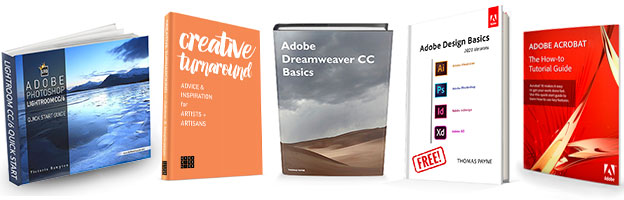
Special: Legally download dozens of free Adobe books for a limited time!

Changing System Requirements
Also important to know that the minimum system requirements have changed on Mac in order to take advantage of the latest operating system features and technologies… The CC 2027 release requires macOS 14 (Sonoma) or newer. macOS 13 (Ventura), MacOS 12 (Monterey), and 11 (Big Sur) are no longer supported. If you’re not yet running a compatible version, you can get a free upgrade directly from Apple.
While macOS 14.0 is the minimum, macOS 15 (Sequoia), 26 (Tahoe) or 27 (Golden Gate) is recommended by Adobe. Further, the CC 2027 audio and video apps now strictly require Apple Silicon (M1 or later) and no longer support Intel-based Macs.

On PCs, Windows 10 64-bit (version 21H2 or higher) and Windows 11 (version 23H2 or higher) continue to be the supported platforms for all Creative Cloud applications. Except for Acrobat DC 2026, the latest CC apps do not support 32-bit or Windows 7 or Windows 8 operating systems – and the 32-bit support for Acrobat is being phased out.
Adobe explains that focusing their efforts on modern OS versions allows them to develop the features and functionality most requested by customers, while ensuring peak performance that takes advantage of newer hardware. For more details, please consult the complete CC 2027 System Requirements. If these specifications don’t work for you for some reason, then you can continue to use the older CC 2026 applications.
Free Stock! Download 1,000,000+ premium assets from the new Adobe Stock Free Collection
What’s New in Creative Cloud 2027?

Photoshop 2027 New Features

You Were Made to Create

See Also
- The 10 most common myths about Creative Cloud
- Don’t miss Adobe’s current specials and promotions
- Download free Adobe books (choose over 30 titles)
- Don’t need full Cloud? Get PS + LR for $19.99/month
- Free Adobe Stock! Download 1,000,000+ top images
- How to join Adobe’s Creative Cloud for free

Did these links work for you? Hope they helped out; please let us know with a comment below… Do you have any questions about CC? Just ask below and we’ll get you answers fast!
Keep up with the latest on Adobe software — follow us on Facebook or Twitter, or subscribe to our RSS feed… You can also enter your email and have new articles sent directly to your Inbox. We are reader-supported; when you buy through links on our site, we may earn an affiliate commission.