

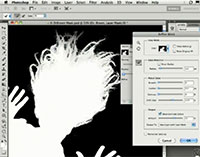
Knowing how to make a good mask is one of the most important things you can learn to do in Photoshop. With accurate masks you can completely control the placement and movement of all the elements of your image. The techniques shared in these videos will help you get the most out of the new masking capabilities in Photoshop CS5… And when you combine them with the new content-aware fill feature to magically fill backgrounds of moved or deleted objects, well then you’ve really got something.

The first video is a two-part playlist, New Masking Basics: Get up-to-speed with the great new masking tools and techniques in Photoshop CS5, to quickly and easily create professional quality masks, including a photograph with challenging hair.
The second video also plays in two parts – New Advanced Masking: Learn some of Photoshop guru Russell Brown‘s favorite methods for masking out the background from a really difficult image.
The third and final video is Advanced Motion Blur Masking and Blending: This tutorial will get you through the toughest motion blur with flying colors… Also learn some advanced blending tips and techniques.


Want more free training? See some amazing uses of Content-Aware Fill and Puppet Warp…
Or check out www.cs5.tv for more great tutorials on the new features in Creative Suite 5.






Very neatly explained tutorial. It sounds easy and looks easy too, so that my clients are happy too!
Anyways, nice tut, post more quality ones like these.
That’s cleared my thoughts. Thanks for contributing.
Could you explain the burn tool? or is it there? <3
Yes Yuuki, the Burn Tool is definitely there in Photoshop – see the help documentation for further explanation.
I have been doing photography for about 5 years and this post really speaks to me, thank you.
This is really helpful, thanks dude. Thank u so much, thanks a lot. You know, many of the times we are going to provide masking service. It is essential for us to inform others to visit this link. Once again thanks so much.
Thank you for sharing some wonderful videos. It’s really helpful to me and I think it’s also going to help a lot of people.
Thanks, I enjoyed your all of masking techniques and learned something new.