How to Move Adobe CS6 Between Computers, or from PC to Mac
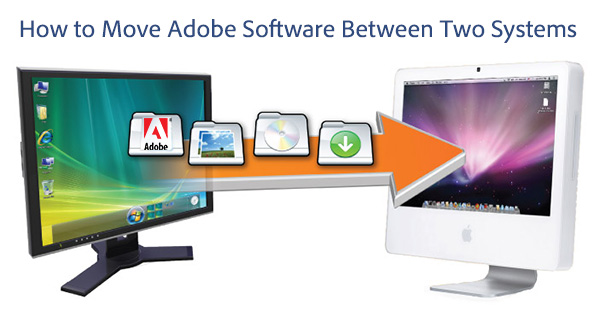
OK, so your old computer is running out of gas, you’re upgrading or changing systems, adding a new machine, or switching from a PC to a Mac, or vice versa — and you want to move over your purchased CS6 (or CS5.5 or CS5 or CS4 or CS3 or any other) Adobe software — what do you do, and how do you do it?
As we’ve covered previously here, you are generally allowed to install and activate most Adobe software on up to two computers, with the restriction that the software can not used on both systems at the same time. So right off the bat, you might be good to go with installing the software on a second computer, although you may wish to double-check the licensing agreement for your product to be sure.
How to Install or Run Adobe CS6 on Both Windows PC and Mac OS
With Adobe Creative Suite, if you’re just looking to set up and run CS6 on either a Windows PC or a Mac OS system, the instructions for that are easy. And in fact, as we discussed earlier, it’s relatively straightforward to install and activate the software on up to two machines of the same operating system type – in other words, either two Mac computers, or two Windows PC’s.
But in most cases, with the platform selection for Creative Suite and Acrobat products, it’s “either-or.” Either Apple or Microsoft. Either Mac or Windows. That’s the story for the retail and education versions of the software. And, if you want to change or swap platforms entirely, and move your tools from one o/s to the other, you can do that with an Adobe CS “crossgrade.”
However, there is another possibility if you want or need to have the applications available on both operating systems (Windows plus Mac OS) at the same time – and that is to get an Adobe volume license. Despite the name, anybody can buy them (not just businesses and even for just one copy), though they do offer discounts for larger purchases… and there are some additional advantages too (including the ability to order CS5 or CS5.5 instead of CS6, if that’s what you happen to need). They’re easy to get – no signature contracts are necessary and you can pay online with a credit card, and download right away.
How Many Computers Can You Install or Run Adobe CS6 On?
This is one of the most common questions we get, and the answer may pleasantly surprise you… The place to look to find the answer is the Software License Agreement, also called the EULA. This agreement governs the use of your Adobe product, and is translated into 28 languages within each document. It also covers some basics about product activation.
So, in general, how many systems can you install Adobe software on, including CS5.5 and CS6? The answer for individuals (as opposed to businesses) in most cases is two. The catch is that both computers must be used only by you and the two systems cannot be used at the same time. This policy was designed so that you could run (say) Creative Suite at home on your desktop PC, as well as while travelling with your laptop. But the types of computers and their usage has blurred so much now that you can just pick any two you own and the product should install and properly activate on both…
For example, here is the key text from the EULA for Photoshop CS6:
2.5 Portable or Home Computer Use. Subject to the important restrictions set forth in Section 2.6 [having to do with volume licensees], the primary user of the Computer on which the Software is installed … may install a second copy of the Software for his or her exclusive use on either a portable Computer or a Computer located at his or her home, provided that the Software on the portable or home Computer is not used at the same time as the Software on the primary Computer.
Four Hours of Free Tutorials for Lightroom 4, plus Other Resources
Adobe Lightroom 4 is only days old, yet it’s quickly getting rave reviews across the net…
PC Magazine gives it 4½ stars and their Editors’ Choice Award for photo workflow software, writing: “For anyone who’s serious about digital photography, Adobe Photoshop Lightroom 4 is now a more essential tool than ever – this is the app you need.”
Digital Photography Review also has great things to say: “Lightroom 4 is a substantial upgrade … offers an impressive list of features … on image quality, the Lightroom team has kept its eye on the prize … consistently getting pleasing results in fewer steps … works impressively well on a range of images … you can get superior results compared to previous versions … video users will also be pleased … welcome surprise price drop … compelling reasons to upgrade.”
And there is already a wealth of free learning resources available… Here are some good ones:
How to Get or Buy Older Adobe Software Versions like CS4 or CS5
Adobe’s Creative Suite 5.5 has been out since May, and has generally been well-reviewed and even lauded as a must-have release… Nevertheless, some folks are still looking for or require older versions of the software, like CS5.0 or CS4. Why?
Two common reasons are the higher system requirements – 64-bit for some components of CS5 like After Effects & Premiere Pro, as well as cases where the rest of a customer’s site is still running an older version and would like to add a new setup with the same compatibility. And occasionally some folks say they prefer the earlier, simpler versions over newer ones with more features.
The challenge is, once a new release comes out, Adobe no longer officially sells the older version (with one exception). So if you need a prior release, what do you do?
If you want the trial version to use for 30 days, that’s easy – Adobe actually keeps most older original trials still available for download on their servers – including all of CS4 and CS5, plus earlier releases of Acrobat, Lightroom, Elements, etc… You can find those trials all linked for download here.
But how about when you want to actually buy CS4 or CS5?
If you ask Adobe, they’ll usually tell you to check their official list of authorized resellers & retailers to see if someone still has the version you want in stock. The problem is it’s inconvenient to search as often those stocks are thin or sold out, and no longer available.
How to Exchange, Return, or Refund Adobe Software Products

It’s the season for holiday deals – and so it also can be a season for order changes and returns… Although naturally, this can happen at any time of year.
Sometimes even despite using Adobe’s free trial downloads to try out the software before buying, customers may want to exchange an Adobe product and get something else – say swapping Photoshop for Lightroom, or returning Photoshop CS5 Extended and getting the full CS5.5 Design Premium suite instead (which includes eight applications instead of one).
So did you know that Adobe offers a full money-back guarantee policy on almost all current products? This includes CS5, Lightroom, Photoshop Elements, Acrobat, and so on. This offer applies even after you’ve already opened the box and/or installed the software – and what’s more, it applies even if you happened to buy the software from somewhere else besides Adobe direct (like an from authorized reseller or store in North America – though not eBay).
Yes, it’s true – if you aren’t able to return or exchange your product via any other means, you can simply contact Adobe within 30 days and provided you follow the procedure, they will take it back (after being uninstalled and deactivated from your computers, if applicable) and then issue you a refund.
Adobe Acrobat X: Your Frequently-Asked Questions Answered
It’s been about a year since Acrobat X (10) was released, and given Adobe’s typical two-year cycle with this product line, it will probably be another year before we see Acrobat 11 coming out… So in the meantime, we’ve put together a list of helpful questions and answers that have accumulated here and during sessions with Adobe.
Hopefully sharing this information below can help answer frequently-asked questions that you may also have about the product:
How to Transfer an Adobe Software License (CS5.5) Between People
We’ve previously covered here how to transfer Adobe software products (like CS5.5, Photoshop, Lightroom, Elements, or Acrobat) between two computers, including from PC to Mac or vice versa. In this article we’re going to focus on transferring the actual legal license from one person or company to another, like transferring the title to a car or home between two people.
Getting the software moved is mostly a technical task, but doesn’t cover what happens if the recipient has problems, needs customer support or updates, wants to be registered with Adobe, and be recognized as the new legal owner of the software. So this is what you have to do to “unregister” it from the old owner and re-register for the new one.
Complete Online Manuals and Help Doc for All Adobe Products
Even years after it went up, a lot of people still don’t know about it.
We’re talking about the free online documentation for all Adobe software – a set of manuals that can answer quite a few user questions, and be a great resource if you don’t own a product yet but want to find out more about it.
It exists in searchable and discussable form for all major Adobe applications, including the Creative Suite, Lightroom, Acrobat, Photoshop Elements, etc. – for all recent releases on both Windows and Mac OS.
For example, at least once a week we receive a question on how to save back to earlier versions from InDesign CS5.5… Fortunately, this is answered in the “Saving Documents” section in InDesign’s online manual.
Each reference is downloadable as a complete e-book if you so desire (more about this below)… the substantial “Using Adobe Photoshop CS5” guide is nearly 600 pages alone!
Also helpful is the ability to post comments and questions & answers on the individual documentation pages, in case something’s not entirely clear.
Here are the direct links to the references:
What’s in Adobe CS5.5 for Me? Ask a CS Evangelist
Since Creative Suite 5.5 was launched three weeks ago, Adobe has held three “Ask a CS Pro” sessions to find out more about the new release and get top questions answered. The first one happened on Facebook and we covered it in its entirety. The most recent two included live demo walkthroughs of the new CS5.5 products and features, plus plenty of great Q&A. The replays run about an hour apiece and you can watch videos of them here (April 21st) and here (April 28th).
We have recorded the entire text of the questions and answers from both of these last two sessions and they are shared for you below. Adobe’s Creative Suite Evangelists are Terry White (Design), Rufus Deuchler (Design), Greg Rewis (Web), Paul Trani (Flash Platform) and Jason Levine (Digital Video & Audio).
If you have any questions at all about the release that are not answered here or by our CS5.5 launch review, or comparison to CS5, or what’s new product feature articles, just leave them in the comments below and we’ll get answers!