

Even years after it went up, a lot of people still don’t know about it.
We’re talking about the free online documentation for all Adobe software – the official set of user manuals that can answer quite a few customer questions, and also be a great resource if you don’t use a product yet but want to find out more about it…
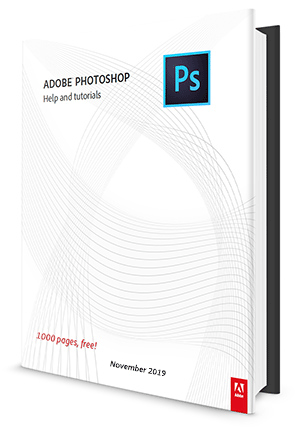
This exists in searchable and downloadable form for all major Adobe applications, including the Creative Cloud, Creative Suite, Lightroom, Acrobat, Photoshop Elements, etc. – for all recent releases on both Windows and macOS.
For example, every so often we receive a question on how to save back to earlier versions from Adobe InDesign… Fortunately, this is answered in the “Saving Documents” section in InDesign’s online manual. (And for all the cases like these, we also put together a special roadmap for CC file compatibility.)
Free Stock! Download 1,000,000+ premium assets from the new Adobe Stock Free Collection
Each Adobe reference below can be downloaded as a complete offline ebook if you want (more about this below)… These books are substantial – the latest “Photoshop Help & Tutorials” handbook is over 1,000 pages alone, and collectively the entire set of manuals for all Creative Cloud 2020 apps totals 7,000+ pages!
So here below are the direct links to all the PDF guides to bookmark for your future reference:
- Creative Cloud (CC) or Creative Suite (CS6, CS5, CS4, or CS3):
Product CC 2020 Release Older Versions In addition to English, these guides are also available in French (fr), German (de), and Japanese (ja). To download in another language, copy the manual’s link, change the “/en/” to the other language code, and then paste that into the address bar of your browser.Photoshop Download Download Lightroom Download — Lightroom Classic Download Download Illustrator Download Download InDesign Download Download InCopy — Download Adobe XD Download — Dreamweaver Download Download Animate / Flash Pro Download An / Fl Adobe Muse — Download Premiere Pro Download Download After Effects Download Download Audition Download Download Prelude Download Download Premiere Rush Download — Media Encoder Download Download Adobe Bridge Download Download - Adobe Acrobat:
- Acrobat DC Pro/Standard and Reader
- Acrobat XI, X, 9, 8, 7 Pro/Standard and Reader
- Other Adobe CC/CS applications:
- Elements line:
- Photoshop Lightroom 6, 5, 4, 3, 2
- Captivate 2019 and 9, 8, 7, 6, 5.5, 5
- Presenter 11 and Presenter Video Express 11
- FrameMaker 2019 and 2017, 2015, 12, 11, 10, 9, 8
- RoboHelp 2019 and 2017, 2015, 11, 10, 9, 8, 7
- ColdFusion 11, 10, 9, 8, 7, MX 6.1
- Adobe Connect 9.5, 9, 8, 7
- LiveCycle ES4, ES3, ES2, ES
- All other products

We’re long past the point of printed books or manuals in a box – it’s all live and living online, updated regularly by the Adobe documentation team…
Important! If you’re going to be offline for a while or just prefer to read it all in an ebook format, there are full PDF versions available for download for each application – just grab that and poof, you have a full up-to-date manual in digital book form, for free. This is great for sending to a Kindle, or for reading on an iPad where it can be opened and stored in iBooks.
To download any of these software user manuals in PDF form:
- For Creative Cloud/Suite pages above – just click on “PDF manuals” or “Previous versions.”
- For all other tools above – look for the “Help PDFs” near the top or left side of the screen.
If for some reason you don’t find your answer there, it’s an easy jump over to Adobe’s User-to-User Forums or Customer Support.
And to continue learning, don’t miss dozens more free books for many Adobe products, covering recent versions of all major applications.
See Also

- Don’t miss Adobe’s current specials and promotions
- Free Adobe Stock! Download 1,000,000+ top images
- How to save 70% with the Adobe education editions
- Free! Watch 200+ new courses from Adobe MAX
- Don’t need full Cloud? Get PS + LR for $19.99/month
- How to join Adobe’s Creative Cloud for free
Do you have any questions about these manuals? Just ask them below and we’ll get you answers fast!
Keep up with the latest on Adobe software — follow us on Facebook or Twitter, or subscribe to our RSS feed… You can also enter your email and have new articles sent directly to your Inbox. We are reader-supported; when you buy through links on our site, we may earn an affiliate commission.






Salut, juste vous demander si vous pouvez aussi mettre des contenus en français pour nous aider, parce que d’autres personne ne parle pas anglais, comme moi. Je besoin de télécharger des support mais ce toujours en anglais.
Great question! Yes – in addition to English, these manuals are also available in French/français (fr), German/Deutsch (de), and Japanese (ja)…
To download in another language, copy the guidebook’s link, change the “/en/” (within the URL) to the other language code that you want, and then paste that result into the address bar of your browser.
Thank you for these updated PDF links. Once I knew the ability to download Adobe apps was fixed, at least for me, I went ahead and signed up for the full plan. Having easy access to these PDF files is VERY helpful.
I do notice that a Dimension PDF does not seem to be available. Are you all aware of one? Since Adobe is stopping development of Fuse, I am looking to learn how to work within Dimension. So any free, downloadable, legal documentation you all, or anyone reading this, knows of, would be appreciated.
Thank you for the link elsewhere that explains why Adobe is stopping development of Fuse, but not the whole area of 3D.
Hey Louis, good to see you again and we’ve been wondering the same thing about Dimension…
We have not been able to find a PDF Dimension manual. There is, however, an online Adobe Dimension User Guide here.
Hope that helps!
@ProDesignTools
It does, thanks. I also ordered a copy of the Classroom in a Book for Dimension. These other free downloadable PDF’s are very helpful. A LOT of info.
Thanks again.
Sure! Curious, what other free downloadable PDFs have you found? Perhaps we could feature them here.
Sorry for the lack of clarity. I was referring to the PDFs you all already feature.
Gotcha, thanks Louis! We appreciate your feedback.
Thank you, these docs are v. helpful
Hallo,
könntet Ihr mir bitte eiin Handbuch oder URL zum Handbuch über Adobe Photoshop Express, Adobe Capture, Adobe Illustrator, Adobe Cam alles für Android ( Huawei Handy) bitte ? Ich weiß auch nicht wie ich Plugiins installiere die nicht von der Adobe Webseite sind. Vieleicht habt Ihr da auch ein paar Ratschläge.
Hello Katja,
All the Adobe manuals we have collected are available via the links given in the article above… They are all simple PDF files you can easily download. There’s not much more we can suggest to you than that.
Vielen Dank für Eure schnelle Hilfe. Eure Email hatte ich bekommen. Ich wollte mich nur bedanken. DANKE❗❗
You’re welcome!
I have not found the CC 2021 Reference Guides or an updated Acrobat DC Reference Guide on Adobe’s website. Has Adobe published Reference Guides or Manuals for the Creative Cloud 2021 products?
Thanks.
Good question, James. As of this writing, Adobe has not yet published PDF reference manuals for the latest 2021 versions.
Historically, there has usually been a lag from the release of the software and the release of the PDF User Guides. That may be the case here, if they still intend to update them.
The online versions of the User Guide and Tutorials have indeed been updated for all CC 2021 products, just not the PDF manuals.
https://www.AdobeAssistance.com/
Hope that helps!
All this stuff is very old.
For example, Adobe Acrobat DC is from 2019.
Like Adobe doesn’t want to give updated PDFs for their products.
Apple does “the same.” All their documents are only available, and encrypted, for iPhone. Can’t read their documents on other electronic devices.
When “Private” entities control the planet, it’s not a surprise to see that.
Nothing is created in public. Must be in “private” → money, God of all Humans.
Sorry, these are the last/latest PDF versions of the product manuals that Adobe has made available…
Perhaps they believe that customers don’t want to use PDF documentation going forward? That’s not what we find, but unfortunately there’s nothing we can do about it.
So, these are several years old now, but they’re all that we’ve got.