

[IMPORTANT – Adobe is discontinuing public direct download links for older software. Instead, you can now download legacy installers here through their website, or get the latest Creative Cloud installers here. For more details and complete information, see our new explainer post here.]
Following our popular post last week with the direct download links to the official trials of CS4 and CS3 for those who need them, by reader request we are doing the same for all CS5 products here… In theory the Akamai Download Manager (DLM) that Adobe uses is a good thing, intending to reduce download times and provide a ‘resume’ capability in case of interruption. But despite their best efforts, some folks are still having problems downloading CS5 using Akamai, so we thought we’d provide a complete set of direct download links for all Adobe Creative Suite 5 software (Windows and Mac), for instant easy access and to assist in these cases…
Below is a table for CS5 trial downloads in major languages. These links go to the authentic and original CS5 files residing on Adobe’s servers, are guaranteed genuine and will not change. For Windows, each program consists of up to two files, an .exe and a 7-Zip file (.7z). The .exe file will only work when the .7z file is also fully downloaded and resides in the same location. For the Mac, it’s just a single .dmg file for each program.
Special: Legally download dozens of free Adobe books for a limited time!
The supported languages vary by product. The Western European languages can include French/Français, German/Deutsch, Italian/Italiano, Dutch/Nederlands, Norwegian/Norsk, Danish/Dansk, Finnish/Suomi, Swedish/Svenska, Portuguese/Português, and Spanish/Español. To see which product supports which languages, visit the main Adobe trials page and then click on the selection menu for whichever product(s) you’d like to try – it will tell you which languages are currently available.
Install now: Get all new Creative Cloud 2026 direct download links and free trials.
Note: Very Important Instructions
| More Direct Download Links |
|---|
| CC 2026 |
| CC 2019 |
| CS6 |
| Acrobat DC 2026 |
| Captivate 2019 |
| Lightroom 6/CC |
| Elements 2023 |
You need to have a free Adobe account and be logged into it to use the links below, as Adobe sets a session cookie on your browser that allows you to access the direct download links. Otherwise, you will receive an “access denied” or “no permission” message blocking the connection. So please follow these instructions carefully or the links will not work!
- Adobe recommends temporarily turning off any surfing restrictions you might have running, like site or cookie blocking, filtering, firewalls or antivirus software.
- Click «HERE» to visit this page first, before clicking any of the links in the table below – this is critical!
- If asked, sign in with your Adobe ID or take a minute to create one for yourself (free).
- OK! Now you’re logged in at Adobe with the trials cookie set, so you can instantly download any of the software below. Just make sure you have enough disk space.
- Download the files either by clicking directly on the DDL links, or by right-clicking and choosing “Save Link As…” on the popup menu – and save all files to the same place.
- Then follow the product installation instructions here.
Creative Suite 5.0 – Adobe CS5.0 Downloads
Here now are the direct download links for the CS5 trials. Please note these are for the older Creative Suite 5.0, not 5.5 – but we also have the more recent CS5.5 direct links, so be sure you’ve got the release you want…

| Adobe CS5 Direct Downloads |
Size |
Windows | Mac | ||||
|---|---|---|---|---|---|---|---|
| English | Western Europe | English | Europe | ||||
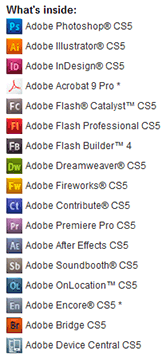
| Photoshop CS5 | 979 MB | File 1 | File 2 | File 1 | File 2 | File 1 | File 1 |
| Dreamweaver CS5 | 326 MB | File 1 | File 1 | File 1 | File 1 | ||
| Illustrator CS5 | 1.3 GB | File 1 | File 2 | File 1 | File 2 | File 1 | File 1 |
| InDesign CS5 | 716 MB | File 1 | File 2 | File 1 | File 2 | File 1 | File 1 |
| InCopy CS5 | 558 MB | File 1 | File 2 | File 1 | File 2 | File 1 | File 1 |
| Flash Pro CS5 | 857 MB | File 1 | File 2 | File 1 | File 2 | File 1 | File 1 |
| Flash Catalyst CS5 | 508 MB | File 1 | File 1 | File 1 | File 1 | ||
| Flash Builder 4 | 388 MB | File 1 | File 1 | File 1 | File 1 | ||
| Premiere Pro CS5 | 1.4 GB | File 1 | File 2 | File 1 | File 2 | File 1 | File 1 |
| After Effects CS5 | 988 MB | File 1 | File 2 | File 1 | File 2 | File 1 | File 1 |
| Contribute CS5 | 306 MB | File 1 | File 1 | File 1 | File 1 | ||
| Fireworks CS5 | 498 MB | File 1 | File 1 | File 1 | File 1 | ||
| Soundbooth CS5 | 473 MB | File 1 | File 2 | File 1 | File 2 | File 1 | File 1 |
| Acrobat 9 Pro | 656 MB | File 1 | File 1 | File 1 | File 1 | ||
| Creative Suites | |||||||
| CS5 Master Collection | 4.5 GB | File 1 | File 2 | File 1 | File 2 | File 1 | File 1 |
| CS5 Design Premium | 2.9 GB | File 1 | File 2 | File 1 | File 2 | File 1 | File 1 |
| CS5 Design Standard | 2.0 GB | File 1 | File 2 | File 1 | File 2 | File 1 | File 1 |
| CS5 Web Premium | 3.1 GB | File 1 | File 2 | File 1 | File 2 | File 1 | File 1 |
| CS5 Production Premium | 7.2 GB | File 1 | File 2 | File 1 | File 2 | File 1 | File 1 |

Free Stock! Download 1,000,000+ premium assets from the new Adobe Stock Free Collection
Note there is no separate trial download for Photoshop CS5 “Standard” – you go with the bigger Extended version (having all Photoshop features including 3D), and then decide which version you’d like to keep at time of product purchase.

You do not need to uninstall previous versions of Creative Suite; some users prefer to keep the older, familiar version(s) around as they come up to speed with the new product’s features, and there are plenty of folks that have CS3, CS4, and CS5 all on one computer.
We suggest using a browser other than Internet Explorer to download the files above. They can be quite large and IE has been known to drop the extension (like “.exe”) from the Windows filename. If this happens and you can’t open a file, then just rename it to add back the extension. But generally, using Firefox or Chrome will work better – and if you have any issues getting the downloads to work with one browser, then try another.
Note also the complete set of minimum system requirements for Adobe CS5.
[UPDATE (December 5th) – In the comments we have the CS5 “Extra Content” downloads for After Effects CS5, Premiere Pro CS5, Illustrator CS5, and Fireworks CS5 (Windows or Mac).]
*** Note: If you have any problems getting the files to download or install, be sure to read the earlier comments on this page – as most questions have already been asked and answered below!
Did these links work for you? Hope they helped out; please let us know with a comment below…
Keep up with the latest on Adobe software — follow us on Facebook or Twitter, or subscribe to our RSS feed… You can also enter your email and have new articles sent directly to your Inbox. We are reader-supported; when you buy through links on our site, we may earn an affiliate commission.







Flash CS5 won’t work, what do I do?
Not sure; just tested out those direct download links, and they work fine for us…
What is the exact text of the error message you received?
Nobody else has reported any issues, so we’d need more detail in order to help you out.
Did you try using a different web browser, or another computer or Internet connection?
Bail on yesterday’s technology and learn HTML 5?
What platform and OS? Updated? Did you google the Flash CS5, with an eye to finding compatibility issues?
Found help elsewhere?
Just wanted to leave a thank you for providing support for all of these apps, even if they’re a decade old now.
You’re welcome, glad to help!
I think I followed instructions correctly. I have the .exe and .7z files on my desktop. When I try to open PS CS5, get message: “you are already running another Adobe installer. Please close all other installers to continue with this installation.” I completely shut down, repeat, get same message.
I have PS CS5, but somehow lost Bridge. I’m just trying to get Bridge back. Please … suggestions!
Greetings, Carol – yes, there is a solution to that problem. Carefully follow the suggestions given on this Adobe help page
Troubleshoot Error Messages in Bootstrapper CS5, CS5.5
I am not sure what I am doing wrong. I want to download CS5 but when I do, I get a message that says “The developer of this app needs to update it to work with this version of macOS. Contact the developer for more information.”
I went to the Click «HERE» to visit this page first page and it took me to a page to “Download Adobe Premiere Elements | 2023, 2022”. What am I missing?
What version of macOS are you running? CS5 will not install on macOS Catalina or later:
Do My Adobe Apps Work on macOS Catalina (Version 10.15)?
This is because of major changes that Apple made to remove support for older apps (32-bit software) in Catalina and above… Consequently, only the newest Creative Cloud release will run.
Can you please send the setup.exe application for adobe cs 5.5 master collection – I just can’t execute it because it has changed to 0kb instead of 790kb, please help
Hello, we just tested those links and they still work fine for us, downloading the CS5 installers with no problem.
We would suggest taking a look at this list of download tips for help.
Trying to open my InDesign 5.5 file from a backup from my laptop running yosemite 10.10 and performing flawlessly (from my Adobe Design Premium. CS5.5). Copying it from a backup disc to a different mac laptop running High Sierra 10.13.6.
When I try to open InDesign (it and photoshop) are the only ones i am interested in) to do our church bulletin weekly and access published materials I developed years ago, I get a Missing file: /Library/Application Support/Adobe/TypeSupport/…/ROMAN.TXT Tried to find that file on the old mac but can’t discover it.
Tried to download my Adobe Design Premium CS5.5 and have the serial number from Adobe. (since we moved, can’t find my original dvds -aargh) I do have the original discs from Adobe Creative Suite 2 Premium and the serial numbers.
The Adobe Design Premium CS5.5 dmg does download ok, but the installer doesn’t work.
I am 81 years old and used to work in graphic design. Any help would be appreciated for the ancient one. There is no way I can spend 25-50 bucks a month for the new cs stuff.
Hi Howard, did you try these?
Adobe CS5.5 Direct Download Links, for Windows and Mac OS
Is it possible to download the Japanese version of CS5 Design Standard?
Sure, if you take any of the English links above, copy it and change the Language Set designation to “LS6” near the end, and then paste it into your browser address bar, you will get the Eastern European language set (Czech, Polish, Russian, Romanian, Turkish, Ukrainian, Hungarian, Arabic, Hebrew) for Adobe CS5…
Similarly, changing it to “LS3” at the end (instead of LS1, LS4, or LS7) will give you the Chinese, Taiwanese and Korean language versions (where available for certain tools) for Creative Suite 5.
And “LS2” will give you Japanese.
Hi folks… after much hassle and moving house, I realised I had lost all my install disks from CS1 -> CS6. Luckily, Adobe came to the rescue and showed me where all my serial numbers were stored now, and links to the installers.
However, one disc I need, but never got the link to, was the bonus resources disc for Soundbooth. All the extra “score” resource files that allow me to generate backing tracks to a set duration.
So, does anyone have the resource disc for Soundbooth CS5, or even just an archive of the “scores” raw files, please? I have the software, it is legit, and I don’t require installers, or resources.
Thanks in advance for any useful tips or links.
ps. Thanks for the excellent service, PDT. #LoveYourWork
You’re welcome, Karl – glad to help!
If the Soundbooth bonus disc doesn’t turn up, maybe these will help?
Download Thousands of Free Audio Sound Effects from Adobe
I have the original disks for CS5 and installed them using ProDesignTools.
Bridge seems to work but photoshop needs me to provide them with a serial number, which I have. The message comes up “The serial number is not valid for this product.” The trial has expired. What do I do now?? I’ve been using this program for years now till my computer died and I could not uninstall the program.
Hi Stella, not being able to uninstall it from your old computer is OK. If that was the problem, the message would instead be that you exceed your allowed number of activations.
As for why you’re getting the “serial number not valid for this product” message, are you certain you have CS5 or could it be CS5.5? The serial number is matched with the major release. A CS5.5 serial number won’t work with CS5, or vice versa.
If you’re sure that you’ve got the version right and are still getting the message, then check the suggestions given on this Adobe help page:
Help: I get the error “The serial number is not valid for this product” when installing Creative Suite
Hopefully something there will take care of it. But if still no luck, then the final question is: where did you purchase the software? If you’re absolutely certain you got it from a legal and legitimate source, then you can contact Adobe Customer Care to ask them why you’re still getting that message:
https://www.ContactAdobe.com/
Hi Stella… I had a similar issue with my CS6 install – exceeded number of installs, got Adobe to fix that, then a year later when I built a new machine, all the software refused to boot, claiming “Trial expired” too. I rang Adobe’s helpline and they informed me that I needed to switch to a “Persistent Licence” – which they did – and no trouble installing since! (Though I do now need to ensure I sign in to my Adobe account at least once every 28 days to renew the licence token.)
ANYWAY… if you have the original discs, do you have the bonus content/resources disc with Soundbooth’s data files please?! I have the original install files and legit licence, but none of the bonus content that makes Soundbooth’s ‘Score’ feature work.
I’d be super grateful if you could assist me in getting those…
The CS5.5 Production Premium links do not work for me :(
It keeps redirecting me to the “Apps available for download” page.
Hello Sy, please see the important notice at the top of the post above:
Thanks for the resource you provide. I both have download links from Adobe and the original discs. I installed Photoshop CS5. Added my serial number. It’s working fine on Windows 11 Pro.
The problem is attempting to update to Photoshop 12.0.4. Adobe Application Manager: “There was an error downloading this update. Please quit and try again later.”
Any recommendations? Any way to download the update manually?
Welcome Tim,
Yes, we can help with that.
Please see:
FIXED: Photoshop 12.0.4 update for Photoshop CS5 – “There was an error downloading this update.”
Hope that helps!
Thanks for the quick reply! Unfortunately, those look like Mac files (dmg). Do you have the Windows versions?
Sure, looks like you found the answer:
FIXED: Photoshop 12.0.4 update for Photoshop CS5 Windows – “There was an error downloading this update.”
Cheers
Thanks for the assist! For future use, I will definitely hold these updates tightly.
Is there a way to extract the Bridge and Camera Raw updates from whatever the Adobe Application Manager is using? I suspect there will be a time in the future when AAM will not be able to access the files on the Adobe servers, at which time the only option will be to install updates manually.
Try this ACR direct download link?
(Adobe Camera Raw)
For anyone else that finds this thread, try this first…
If you having problems with other CS5 updates installing, then perhaps installing a more recent Application Manager will resolve the issue:
https://download.adobe.com/pub/adobe/creativesuite/cc/win/ApplicationManager10.0_all.exe
Here is the 12.0.4 updater for Photoshop CS5 on Windows (which will install with the Adobe Application Manager above:
http://download.adobe.com/pub/adobe/photoshop/win/cs5/AdobePhotoshop12-4-mul-AdobeUpdate.zip
The 12.0.5 update you can apply manually after the 12.0.4 update:
http://download.adobe.com/pub/adobe/photoshop/win/AdobePhotoshop12_5-mul-AdobeUpdate.zip
Credit to Jeff Arola here.