

[IMPORTANT – Adobe is discontinuing public direct download links for older software. Instead, you can now download Elements installers here through their website. For more details and complete information, see our new explainer post here. Note that Adobe sells only the latest release of Elements.]
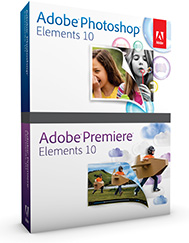
Continuing our history of providing the direct download links for major Adobe products such as Creative Cloud, CS6, Lightroom 6/CC, and Acrobat DC, below you’ll find the direct links from Adobe’s servers for free trials of the brand new releases of Photoshop Elements 10 and Premiere Elements 10, for both Windows and the Mac OS.
The links given below go to the authentic and secure files residing on Adobe’s servers, are guaranteed genuine and will not change. They are especially useful when you are unable to download Adobe’s free trials via other means – often due to difficulties with the Akamai Download Manager (the Adobe DLM). With the links provided below, you can use your own browser’s download capability, or another download manager of your choice.
For setting up Elements on Windows (both PSE 10 and PRE 10), each program consists of two downloaded files: an .exe and a 7-Zip file (.7z). The .exe file will only work (and install) once the .7z file is fully downloaded and resides in the same location. For the Mac, it’s just a single .dmg file for each program.
Special: Legally download dozens of free Adobe books for a limited time!
Note: Very Important Instructions
| More Direct Download Links |
|---|
| CC 2024 |
| CC 2019 |
| Acrobat DC 2023 |
| Captivate 2019 |
| Lightroom 6/CC |
| Elements 2023 |
You must have a free Adobe account and be logged into it to use the links below, as Adobe sets a session cookie on your browser that allows you to access the direct download links. Otherwise, you will receive an “access denied” or “no permission” message blocking the connection. So please follow these instructions carefully or the links will not work!
- Adobe recommends temporarily turning off any surfing restrictions you might have running, like site or cookie blocking, filtering, firewalls or antivirus software.
- Click «HERE» to visit this page first, before clicking any of the links below – this is critical!
- If asked, sign in with your Adobe ID or take a minute to create one for yourself (free).
- OK! Now you’re logged in at Adobe with the trials cookie set, so you can instantly download any of the software below. Just make sure you have enough disk space.
- Download the files either by clicking directly on the DDL links, or by right-clicking and choosing “Save Link As…” on the popup menu – and save all files to the same place.
- Then follow the product installation instructions here.
Install now: Get all new Creative Cloud 2024 direct download links and free trials.
Adobe Photoshop Elements 10 (PSE 10) Direct Download Links
Photoshop Elements 10 – Windows (1.5 GB): File 1 File 2
Photoshop Elements 10 – Mac (2.0 GB): File 1
Adobe Premiere Elements 10 (PRE 10) Direct Download Links
Premiere Elements now comes in both 32-bit and 64-bit versions… 64-bit offers higher performance but choose the 32-bit flavor if you’re unsure what your Windows system is.
Premiere Elements 10 – Windows 32-bit (1.4 GB): File 1 File 2
Premiere Elements 10 – Windows 64-bit (1.5 GB): File 1 File 2
Premiere Elements 10 – Additional Content – Windows (3.0 GB): File 1 File 2
Premiere Elements 10 – Mac (1.8 GB): File 1
Premiere Elements 10 – Additional Content – Mac (3.2 GB): File 1
The additional content contains InstantMovie themes, title templates, DVD/Blu-ray menu templates, and music to enhance your movies created with Adobe Premiere Elements 10 software. Themed HD and SD content includes Birthday Party, Road Trip, Outdoor Wedding, Broadway, Kid’s Channel, Family Memories, Extreme Sports, News Reel, Comic Book, and more.
Product languages supported: The Elements 10 tryouts are currently available in English, French/Français, German/Deutsch, Dutch/Nederlands, Italian/Italiano, Spanish/Español, Portuguese/Português, Swedish/Svenska, and Japanese/日本語 – for Microsoft Windows and Mac OS. Adobe says additional language versions will be available soon.
We suggest using a browser other than Internet Explorer to download the files above. They can be quite large and IE has been known to drop the extension (like “.exe”) from the Windows filename. If this happens and you can’t open a file, then just rename it to add back the extension. But generally, using Firefox or Chrome will work better – and if you have any issues getting the downloads to work with one browser, then try another.
Installation Tips
- You do not need to uninstall previous versions of Elements; some users prefer to keep the older, familiar version(s) around as they come up to speed with the new version’s features.
- Install with an account that has administrative privileges (not a Limited User Account if you are using Windows Vista).
- For the easiest installation experience, quit any open programs, including virus protection software, prior to installing Elements 10.
- Read the accompanying Photoshop Elements 10 Release Notes in English, French, or German.
- If you run into any difficulties, see the Elements 10 Installation Troubleshooting page.
*** Note: If you have any problems getting the files to download or install, be sure to read the earlier comments on this page – as most questions have already been asked and answered below!
See Also
- Get free guide on Photography, Photoshop, Lightroom
- How to save 60% with the Student & Teacher Editions
- Free Adobe Stock! Download 1,000,000+ top images
- Don’t need full Cloud? Get PS + LR for $9.99/month
- The 10 most common myths about Creative Cloud
- How to join Adobe’s Creative Cloud for free
Keep up with the latest on Adobe software — follow us on Facebook or Twitter, or subscribe to our RSS feed… You can also enter your email and have new articles sent directly to your Inbox. We are reader-supported; when you buy through links on our site, we may earn an affiliate commission.






Thank you!! I was at my wit’s end and finally, because of this article, was able to install Adobe Elements 10.
I had a little difficulty getting the second file to download, but tried going back in as if to download and stopping it, then I right-clicked and I think this is what worked.
One note: don’t forget to go back and put all your protections back on!
I had disabled my Webroot, turning all protections off, turned off the Windows Firewall, and in Internet properties, properties, enabled cookies.
This article was a god-send to me!!
Hey Kelly, that’s great to hear – glad to help and thanks for letting us know!
Thank you Very much, for the link.
Would like to load Elements 10 to my web, how?
Sorry Jack, not sure what you mean – could you clarify, or provide more details?
The download links to the additional content goes here. How does one download?
Unfortunately, it looks like Adobe may have stopped offering the Extra/Additional Content: “Sorry, this software is currently unavailable for download.”
Not sure why; perhaps because its last update was in 2011, and Adobe recently has been taking down old direct links…
Sorry about that!
@ProDesignTools
can i get a direct link to download photoshop free
Is there a new link for PSE 10?
No, sorry – Adobe took down some installer links due to licensing… please see:
Adobe Limits Software Version Downloads, Including Some Direct Links
These files no longer exist as Adobe has removed everything up to 2019 versions.
That’s not really true. Adobe did drop the direct download links for some versions of Elements (and other products)…
However, the direct download links for many releases of Photoshop & Premiere Elements do still remain available here:
https://prodesigntools.com/tag/elements+ddl
Where can I download photoshop elements 10 for Mac? I have a serial number because I purchased that version in 2013.
Thanks.
Carlamosti
Actually, incredibly, these links do still work. Please make sure you are carefully following the download instructions given in the article, near the top of this page… (Otherwise they won’t work and you’ll get an error message instead.)
For additional tips, see this previous reply to Toco.
Please, I want to download Photoshop CS3 and I have a serial number. Could me send me a link?
Thanks.
Carlamosti
Sorry – some years ago, Adobe decommissioned the aging activation servers for CS3 (from 2007)…
So, it’s no longer possible for CS3 software to be activated on new systems.