Three Hours of Free Tutorials for Lightroom 3, plus Other Resources
Adobe Lightroom 3 is only days old, yet it’s quickly getting rave reviews across the net… Expert Reviews gave it five stars, writing: “The best just got better. Whether you’re a professional photographer or enthusiast, Adobe Lightroom has quickly become the must-have managing and pre-processing software. With version 3 just released, there’s even more reason to rush out and buy it. The powerful lens correction profiles and amazing noise reduction, combined with excellent management make this a tool that all photographers should have.”
And there is already a wealth of free learning resources available… Here are some good ones:
- Lightroom 3 New Features
- System Requirements for Adobe Lightroom
- Direct Download Links for Lightroom 3 Trial
- Lightroom 3 Installation and Setup
- The Lightroom 3 Workflow
- Adobe Lightroom 3 Keyboard Shortcuts (PDF)
- Digital Camera Raw Support for Lightroom 3
- New Video Support in Lightroom 3
- New Lens Profile Support in Lightroom 3
- New Tethered Camera Support in Lightroom 3
- Lightroom 3 Online Help and Documentation
- Adobe Lightroom 3 General FAQ
Also out is an excellent in-depth series of free online Lightroom 3 video tutorials, approaching three hours in running time and produced by Adobe Lightroom expert Julieanne Kost. There are ten chapters with a range of topics and techniques covered:
Get the Best Adobe CS5 Books, Free!
[UPDATE – See the prizewinners, plus our new Photoshop CS6 Giveaway!]
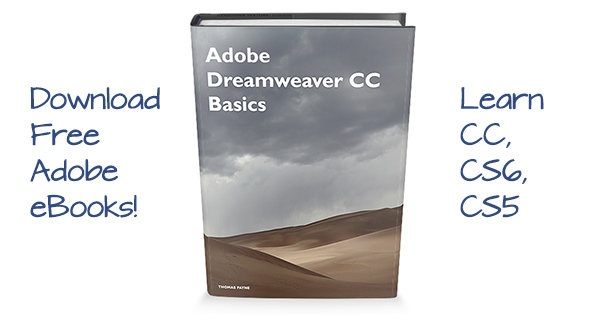
Our last giveaway went so well that we’re launching a new one for the month of May – we’re giving away ten copies of some of the best CS5 books coming, Adobe’s popular “Classroom in a Book” series! The books will be published in early June, just after the contest ends… They sell for up to $59.99 and include companion DVDs for Windows or Mac with bonus content including lesson files and video tutorials. Our winners can choose a book for whichever product you’d like: Photoshop CS5, Dreamweaver CS5, Illustrator CS5, InDesign CS5, Flash Pro CS5, Flash Catalyst CS5, Premiere Pro CS5, After Effects CS5, Fireworks CS5, or CS5 Design Premium.
To enter, all you have to do is add a comment below describing what you like about CS5 and how you’ll be using it, in up to four sentences – that’s it! The contest runs until 11:59pm EDT on Monday, May 31st, 2010, when we’ll choose the ten entries we like the best. One entry per person please, and if two submissions are similar, the first one will count. The contest is open to residents of the USA, Canada, U.K. and Ireland, and the winners will be chosen and books shipped out next month. Be sure to give an accurate email address as we’ll be contacting ten commenters via email to get shipping information, and then follow up back here announcing first names and hometowns.
Speaking of giveaways, we’re also pleased to announce the winner of our big Photoshop CS5 Giveaway last month… The lucky fellow who won the drawing is Dayne from North Lincolnshire, England, and he will be receiving a shiny new shrinkwrapped box of Photoshop CS5 for free!
It turns out Dayne is a talented young artist who afterwards sent us some work he did with Photoshop CS4, which we’d like to share with you here…
Congratulations Dayne, and we’ll look forward to seeing what you do with CS5. And thanks again to everyone who entered for your participation and enthusiasm.
Adobe has some more great product releases coming up, so we expect to be running one new contest each month for a while to come… And since we have a full ten new Creative Suite 5 books to give away this month, if you enter now plus facebook and tweet your friends and colleagues, hopefully one of you will get one!
Free New Adobe CS5 Tutorials: 17+ Hours of Online Video Training
We’ve covered AdobeTV before, but it just keeps getting bigger and better… They’ve just issued a large series of free new video tutorials for every CS5 point product. You can learn the basics with Getting Started overviews and New Features reviews by product experts, over 17 hours in all. And if you want to get started today, you can go ahead and download a 30-day free trial for any CS5 product and begin getting trained…
Here’s how it breaks out:
| Video Program | Chapters | Runtime | Free Trial |
|---|---|---|---|
| See Full CS5 System Requirements | |||
| Learn Photoshop CS5 | 37 | 3h 53m | Download |
| Learn Dreamweaver CS5 | 21 | 2h 30m | Download |
| Learn Illustrator CS5 | 23 | 2h 10m | Download |
| Learn InDesign CS5 | 18 | 1h 45m | Download |
| Learn Flash Pro CS5 | 23 | 1h 37m | Download |
| Learn Flash Catalyst CS5 | 16 | 1h 17m | Download |
| Learn After Effects CS5 | 17 | 1h 19m | Download |
| Learn Premiere Pro CS5 | 18 | 1h 34m | Download |
| Learn OnLocation CS5 | 3 | 0h 15m | Download |
| Learn Encore CS5 | 3 | 0h 16m | Download |
| Learn Fireworks CS5 | 4 | 0h 21m | Download |
| Learn Soundbooth CS5 | 2 | 0h 11m | Download |
| Learn Adobe Bridge CS5 | 3 | 0h 14m | Download |
The extensive how-to series of tips, tricks, and techniques was produced by the well-regarded Lynda.com in partnership with Adobe.
Free Adobe Video Training
Here’s a great one. How would you like a huge menu of absolutely free video training, tips, and tricks for most all of Adobe’s major products?
A large selection of helpful segments from the experts you can run and view at any time from the comfort of your home or office, covering everything from “getting started” tutorials for beginners to advanced “how-to” guides for thirty different products…
Well, it’s here – check it out and learn all you want at the new “Adobe TV.”