


[IMPORTANT – Adobe is discontinuing public direct download links for older software. Instead, you can now download legacy installers here through their website, or get the latest Creative Cloud installers here. For more details and complete information, see our new explainer post here.]
We’re seeing some folks reporting problems trying to download the new Lightroom 3 using the Akamai Download Manager, which is enabled by default at Adobe.com… There are several posts on the user forums (like here), as well as incoming visitor search queries here like “download link for lightroom 3 without akamai,” “adobe lightroom 3 direct download link,” and “how to download lightroom 3 from adobe without the download manager.”
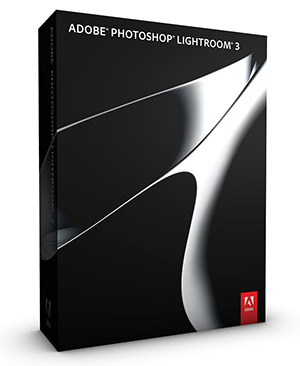
So to complement our earlier set of direct links for Adobe CS5.5, below are the direct download links for Photoshop Lightroom 3 – they are very straightforward, just one single file for each platform that covers all languages available (with both 32-bit and 64-bit versions contained inside for Windows)… Languages offered for LR3 include English, French/Français, German/Deutsch, Dutch/Nederlands, Italian/Italiano, Portuguese/Português, and Spanish/Español.
Because we’ve also had requests for links for the Elements product line (Photoshop Elements 8 and Premiere Elements 8), you’ll find those further down as well – including the extra content files for Premiere Elements. All of these links go to the authentic and original files residing on Adobe’s servers, are guaranteed genuine and will not change.
Special: Legally download dozens of free Adobe books for a limited time!
Note: Very Important Instructions
| More Direct Download Links |
|---|
| CC 2026 |
| CC 2019 |
| Acrobat DC 2026 |
| Captivate 2019 |
| Lightroom 6/CC |
| Elements 2023 |
You need to have a free Adobe account and be logged into it to use the links below, as Adobe sets a session cookie on your browser that allows you to access the direct download links. Otherwise, you will receive an “access denied” or “no permission” message blocking the connection. So please follow these instructions carefully or the links will not work!
- Adobe recommends temporarily turning off any surfing restrictions you might have running, like site or cookie blocking, filtering, firewalls or antivirus software.
- Click «HERE» to visit this page first, before clicking any of the links below – this is critical!
- If asked, sign in with your Adobe ID or take a minute to create one for yourself (free).
- OK! Now you’re logged in at Adobe with the trials cookie set, you can instantly download from the links below. Just make sure you have enough disk space available.
- Download the files either by clicking directly on the DDL links, or by right-clicking and choosing “Save Link As…” on the popup menu – and save all files to the same place.
- Then follow the product installation instructions here.
Adobe Lightroom 3 Direct Download Links
Adobe Lightroom 3 – Windows (237 MB): File 1
English, French, German, Dutch, Italian, Spanish, Portuguese, Swedish, Korean, Japanese, Chinese
Adobe Lightroom 3 – Mac (112 MB): File 1
English, French, German, Dutch, Italian, Spanish, Portuguese, Swedish, Korean, Japanese, Chinese
(Lightroom 2 and Lightroom 1 direct download links can be found here.)
Adobe Photoshop & Premiere Elements 8 Direct Download Links
Photoshop Elements 8 – Windows (1.1 GB): File 1 File 2
English, French, German, Dutch, Italian, Spanish, Portuguese, Swedish, Japanese, Chinese
Photoshop Elements 8 – Mac (1.2 GB): File 1
English, French, German, Japanese
Premiere Elements 8 – Windows (1.2 GB): File 1 File 2
English, French, German, Dutch, Italian, Spanish, Portuguese, Swedish, Japanese, Chinese
Premiere Elements 8 – Additional content: File 1 File 2
For Elements on Windows (both PSE 8 and PRE 8), each program consists of two downloaded files: an .exe and a 7-Zip file (.7z).
The .exe file will only work (and install) once the .7z file is fully downloaded and resides in the same location. For the Mac, it’s just a single .dmg file for each program.
If you need them, please see the links for older versions of Lightroom or Photoshop/Premiere Elements in the comments below.
We suggest using a browser other than Internet Explorer to download the files above. They can be quite large and IE has been known to drop the extension (like “.exe”) from the Windows filename. If this happens and you can’t open a file, then just rename it to add back the extension. But generally, using Firefox or Chrome will work better – and if you have any issues getting the downloads to work with one browser, then try another.
Install now: Get all new Creative Cloud 2026 direct download links and free trials.
Installation Tips

- You do not need to uninstall previous versions of Elements; some users prefer to keep the older, familiar version(s) around as they come up to speed with the new version’s features.
- Install with an account that has administrative privileges (not a Limited User Account if you are using Windows Vista).
- For the easiest installation experience, quit any open programs, including virus protection software, prior to installing Elements 8.
- If you run into any difficulties, see the Elements 8 Installation Troubleshooting page.
*** Note: If you have any problems getting the files to download or install, be sure to read the earlier comments on this page – as most questions have already been asked and answered below!
See Also
- Get free guide on Photography, Photoshop, Lightroom
- How to save 70% with the Student & Teacher Editions
- Free Adobe Stock! Download 1,000,000+ top images
- Don’t need full Cloud? Get PS + LR for $19.99/month
- The 10 most common myths about Creative Cloud
- How to join Adobe’s Creative Cloud for free
Keep up with the latest on Adobe software — follow us on Facebook or Twitter, or subscribe to our RSS feed… You can also enter your email and have new articles sent directly to your Inbox. We are reader-supported; when you buy through links on our site, we may earn an affiliate commission.






Completely worthless, fall in line with your phone service and chat service. god help me I hope I don’t have another PC crash because reloading your software sucks.
Why is it worthless Sean? This is old software but everything here still works okay on our end, if you just follow the important download instructions.
You guys are a life saver!!!
I followed the directions as instructed and everything worked as you stated it would. I’ve had two hard drive crashes and this was the first time I was unable to recover my software. Without your instructions, I would have to purchase Photoshop monthly services at a very hefty price tag.
I utilize Photoshop frequently for my crafting and many of the free photo manipulation softwares are decent but do not compare to what I can do with Photoshop.
Thanks again, from one happy Mom/ Crafter!
Great, happy to help VKO! Although note that since you purchased Photoshop Elements five years ago, the price of the full gold-standard Photoshop has come down and is now only $9.99 a month together with Lightroom (so not so hefty compared to $1000)… and what it can do is far advanced.
Note also that the price of Photoshop Elements itself hasn’t changed over the years – with PSE 12 being the current version (including discounted upgrades available) – and the next release PSE 13 likely due to be coming out soon.
I am absolutely over the moon – thank you so much for replying to my message which enabled me to download Photoshop 8 and allow me to continue with my family movie that I began last year. I was so frustrated thinking I had to re-purchase when I had already paid for version 8
Sure, you bet Poodlz – glad to help! Thanks for following up to let us know how it worked out for you.
Thanks so much. I reformatted my mac and with your links I was able to re-install Elements 8. Thanks again.
Greg
Hi Greg, that’s great to hear and thanks for your note!
How do you download this? there is no download button
Follow these download directions and then click whichever direct links you want just below them.
Hello,
I used it as described and it worked fine. Thanks a lot for your support.
Rainer
@ProDesignTools
I had purchased Photoshop and Premiere Elements 7 from Adobe back in 2009. Adobe says that they no longer support the programs, so I came here. I downloaded elements from your link above, and it will not accept my serial number.
Sorry, we don’t have the ability to fix licensing issues with the software – it’s beyond our power and control… You have to contact Adobe Customer Support about those kinds of questions; only they can help:
https://www.ContactAdobe.com/
(via live online chat is usually fastest/easiest)
You could ask them to reset the product activations for your serial number, and see if that helps.
Are these downloads for the 30-day free trial? If so, how does one go about purchasing the full version after the trial?
Yes, these are for the 30-day trials but these versions are way too old to still be able to purchase…
For Lightroom, you’ll want the latest version here (direct download link).
For Elements, you’ll want the latest version here (direct download link).
Hope that helps!
Thanks so much for your reply. Unfortunately, my OS is too old to get the newest version, which is why I was trying to get the Photoshop Elements 8. Do you know where I might find an old version to purchase anywhere?
Thank you again for your time.
No, sorry!
Definitely not offered by Adobe for many years, and very unlikely you could find an authorized vendor selling such an old version that would be both reputable and safe.
@ProDesignTools
Help another desperate person with elements 7. I have used my CD many times before but misplaced it. downloaded from this link, but i get a message that pops up on the actual screen of photoshop that says licensing of this product has stopped working… can someone help me get my program back. Adobe support can’t. I do have 24 digit serial #
So sorry Nancy, only Adobe has the power to fix licensing issues! What did they tell you?
@ProDesignTools
It was expired, but it was one that came with my wacom and one rep said it was perpetual. Unfortunately, they just tell you it is too old even though it was working fine last week.
Hi! Followed the instructions to download Lightroom 3, as I no longer have the CD it was originally purchased on – and Adobe recommended this download link. But after downloading, saving and trying to run the file, after a minute or so I get an error message that says “An error occurred during the installation of assembly Component”… and then a long series of numbers and letters, and ending with HRESULT: 0x80070002
Any idea what I should do next?
Not sure, but you can try googling the EXACT text of the message (word-for-word and character-for-character), and usually that will turn up the solution.
If not, then you could recontact Adobe and see if they can help.
The link for Lightroom 3 is offline.
I can’t find this particular installer anywhere else on the web, and I don’t want to use LR4 with PS5.5.
Hey, thanks for your comment. It looks like Adobe made a change on their website for these links, which necessitated a tweak to the download instructions…
So these direct links are definitely old but they should be working again. Make sure to carefully follow the updated download instructions above first though, before clicking.
Much appreciated.
I ended up downloading LR3.6 following the directions from another great ProDesignTools article.
Thank you!
Terrific, glad to hear you figured it out – and thanks for letting us know!
Thank you for this! I couldn’t find the install package anywhere and am so thankful that you had it!
That’s great Jennifer, glad to help – and thank you for your comment!
Hello:
I was directed here by Adobe help. I have an older version of Premiere Elements – 7 to be specific – which I purchased new old stock.
I have been working on a project on and off for the last while, and finally got to the point of burning it to DVD. At this point it required an unlock code for the MPEG codecs. The link provided by the program did not work; was a dead link. A second link I found through the forums was active, allowed me to put in the magic codec number, but then upon hitting submit I was directed to a page stating the unlock key was no longer valid. A third and different page was found via a 3rd party blog, and this page simply told me the unlock SN provided by the program was invalid.
What I have read indicates to me that this is only a problem in newer Windows versions; some folks commented that this unlock key requirement only came up after newer OS upgrade. There seems to be a tonne of unhappy customers with the same problem, and no solution. One Photoshop site had an Adobe employee saying it was fixed; many comments to the contrary.
Now, after my long-winded venting, is there an easy way to unlock the codecs on Windows 10? Else, should I try to revive an older computer for this, or if I subscribe for a month of Premiere CC can I burn my projects?
Thanks in advance.
Greetings Brad,
Sorry, we really have no clue on that, and haven’t ever heard anything about it before… Elements 7 is over a decade old and was written for much older operating systems and platforms.
But we can’t speculate if running it on Windows 7 would help or fix your issue. One thing we can say is that newer versions of Elements should be able to open projects created with older versions of Elements – so upgrading might help.
Good luck!
PS – Before purchasing anything, you might download & install a free trial of Elements 2019 and see if it can open your project file. It wouldn’t cost you anything.
As for using Premiere Pro CC (where a free trial download is also available) – that might work or it might not… see:
Is It Possible to Open an Elements Project in Adobe Premiere Pro CC?
Is there a reason that the Photoshop Elements 8 links work, but the Premiere Elements links do not?
I was able to install Photoshop Elements 8 just fine, but every time I click on the Premiere Elements links, it takes me to a generic Adobe page and does not download the .exe file at all.
I’ve tried ‘save link as’ and it simply saves the helpx.adobe site as an HTML document. Any idea what’s happening?
Hi Grace,
Some of the direct download links above still work to download the old trials from years ago, but Adobe has recently taken down many links…
So if you can’t access the software you want via the links above, then it’s no longer available here.
If it’s also not listed in your online Adobe account, then it’s not possible to recover – sorry.