

[IMPORTANT – Adobe is discontinuing public direct download links for older software. Instead, you can now download Elements installers here through their website. For more details and complete information, see our new explainer post here. Note that Adobe sells only the latest release of Elements.]
Continuing our custom of providing the direct download links for major Adobe products such as Creative Cloud, CS6, Lightroom 6/CC, and Acrobat DC, below you’ll find the direct links from Adobe’s servers for the free trials of the all-new releases of Photoshop Elements 11 and Premiere Elements 11, for both Windows and Mac OS.
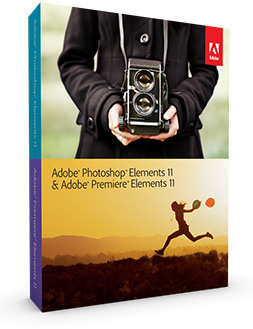
These links go to the authentic and secure files residing on Adobe’s servers, are guaranteed genuine, safe, legal, and will not change. They are especially useful when you are unable to download Adobe’s free trials via other means – often due to difficulties with the Akamai Download Manager or Adobe Download Assistant…
With the links provided below, you can use your own browser’s download capability (without DLM), or another download manager of your choice.
For setting up Elements on Windows (both PSE 11 and PRE 11), each program consists of two downloaded files: an .exe and a 7-Zip file (.7z). The .exe file will only work (and install) once the .7z file is fully downloaded and resides in the same location. For the Mac, it’s just a single .dmg file for each program.
Special: Legally download dozens of free Adobe books for a limited time!
Note: Very Important Instructions
| More Direct Download Links |
|---|
| CC 2026 |
| CC 2019 |
| Acrobat DC 2026 |
| Captivate 2019 |
| Lightroom 6/CC |
| Elements 2023 |
You must have a free Adobe account and be logged into it to use the links below, as Adobe sets a session cookie on your browser that allows you to access the direct download links. Otherwise, you will receive an “access denied” or “no permission” message blocking the connection. So please follow these instructions carefully or the links will not work!
- Adobe recommends temporarily turning off any surfing restrictions you might have running, like site or cookie blocking, filtering, firewalls or antivirus software.
- Click «HERE» to visit this page first, before clicking any of the links below – this is critical!
- If asked, sign in with your Adobe ID or take a minute to create one for yourself (free).
- OK! Now you’re logged in at Adobe with the trials cookie set, so you can instantly download any of the software below. Just make sure you have enough disk space.
- Download the files either by clicking directly on the DDL links, or by right-clicking and choosing “Save Link As…” on the popup menu – and save all files to the same place.
- Then follow the product installation instructions here.
Install now: Get all new Creative Cloud 2026 direct download links and free trials.
Adobe Photoshop Elements 11 (PSE 11) Direct Download Links
Photoshop Elements 11 – Windows (1.1 GB): File 1 File 2
Photoshop Elements 11 – Mac (1.3 GB): File 1
Adobe Premiere Elements 11 (PRE 11) Direct Download Links
Premiere Elements comes in both 32-bit and 64-bit versions… 64-bit offers higher performance but choose the 32-bit flavor if you’re unsure what your Windows system is.
Premiere Elements 11 – Windows 32-bit (1.1 GB): File 1 File 2
Premiere Elements 11 – Windows 64-bit (1.2 GB): File 1 File 2
Premiere Elements 11 – Mac (1.6 GB): File 1
Product languages supported: The Elements 11 tryout versions are currently available in English, French/Français, German/Deutsch, and Japanese – for Microsoft Windows and Mac OS. Adobe says additional languages are available in the full product.
Adobe has not released new “Bonus Content” for Premiere Elements 11, but the Additional Content for PRE 10 (containing InstantMovie themes, title templates, DVD/Blu-ray menu templates, and music to enhance movies you create) should continue to work with version 11.
[ Check out 3 hours of free video tutorials for PSE 11 – as well as 2 new hours for PRE 11. ]
Installation Tips

- You do not need to uninstall previous versions of Elements; some users prefer to keep the older, familiar version(s) around as they come up to speed with the new version’s features.
- Install with an account that has administrative privileges (not a Limited User Account if you are using Windows Vista).
- For the easiest installation experience, quit any open programs, including virus protection software, prior to installing Elements 11.
- Read the accompanying Photoshop Elements 11 Release Notes in English, French, or German.
- If you run into any difficulties, see the Elements 11 Installation Troubleshooting page.
We suggest using a browser other than Internet Explorer to download the files above. They can be quite large and IE has been known to drop the extension (like “.exe”) from the Windows filename. If this happens and you can’t open a file, then just rename it to add back the extension. But generally, using Firefox or Chrome will work better – and if you have any issues getting the downloads to work with one browser, then try another.
*** Note: If you have any problems getting the files to download or install, be sure to read the earlier comments on this page – as most questions have already been asked and answered below!


See Also
- Get free guide on Photography, Photoshop, Lightroom
- How to save 70% with the Student & Teacher Editions
- Free Adobe Stock! Download 1,000,000+ top images
- Don’t need full Cloud? Get PS + LR for $19.99/month
- The 10 most common myths about Creative Cloud
- How to join Adobe’s Creative Cloud for free
Keep up with the latest on Adobe software — follow us on Facebook or Twitter, or subscribe to our RSS feed… You can also enter your email and have new articles sent directly to your Inbox. We are reader-supported; when you buy through links on our site, we may earn an affiliate commission.






hi, I have elements 11 and when I use the programme I get a message comes up on screen that says, “windows has discovered a problem and will shut down.” I have been onto the adobe helpline who talked me through deleting everything and resetting it all …but it hasn’t worked. has anyone had this problem or is it possibly my desktop that I’m running it on – the o/s is windows xp……
I hope someone can shed some light on this problem as is getting frustrating when trying to use it ……thanks in advance…
Sorry to hear you’re having difficulties Andy. Here is the table of operating system compatibility for all Photoshop Elements versions, on the different releases of Windows and Mac OS… Do you know, are you running up to Service Pack 3 on your Windows XP computer?
Access Denied
You don’t have permission to access “…/AdobeProducts/PRE/11/osx10/PremiereElements_11_WWEFDJ.dmg” on this server.
Reference #18.dc19650.1396556214.1307557c
impossible to install that on my imac
hyper fustration .
Hi Geoffrey, you have to make sure to carefully follow the steps in the download instructions given in the article, or the links definitely won’t work and you’ll get those errors instead.
We just tested all the links on this page and they all work fine from our end. If you still have any difficulties, try a different web browser, another computer, or a different Internet connection (avoid Wi-Fi which can be slower and less reliable).
Hope this helps!
Hello,
I an very unhappy with Adobe and the Premiere Elements 11…. I installed late last summer and was working just great until in January when it will no longer load. I have talked with Adobe help line and they had suggested to uninstall and re-install completely which i have done several times now. I have also taken their advice and updated all of my Graphics Drivers etc. I have even tried to install the 64bit version as I thought this may be the problem since I am running 64 and did not install this in the summer but the 32bit version.
I have a friend who also has this same problem. Different machine, different processor and graphics card set.
Please find a solution or I will be forced from not buying any further products from Adobe as this has been a serous productivity loss for the both of us.
I am running HP 9470M, I5 Vpro Processor. Windows 7SP1
Hey Andy, sorry to hear about your difficulties. Does the software display any sort of error or other message? Did Adobe give you any other advice since uninstalling and reinstalling didn’t work for you?
Also, did you try the free trial of Elements 12 (which can run on the same machine), and if so, are there any problems with that?
Hi, ( re Photoshop Elements 11)
I have recently had to purchase a new PC, as my laptop crashed on me. I now want to reload the program from the disks I purchased, but seem to have lost it when I moved.
I do have the serial number. I’m not sure if I can download it and insert my serial number, if so, how do I do it, and what website do I use.
Regards,
Ingrid Gane.
Hello Ingrid, yes – you can do exactly that here on this page, and just make sure to carefully follow the download instructions given in the article.
Hi Romano (Premiere Elements 11)
After reading your message I clicked the link and click the file 1
but get access denied
I referred to forum after your message.
please
Greetings, we just tested all the links above and they work perfectly fine so long as you carefully follow the essential download directions above…
But if you get stuck, try a different web browser or computer, while following those instructions again.
I am considering buying Premiere Elements 11 but have an extremely frustrating and annoying problem that I am unable to solve.
After repeated failures to burn I have uninstalled the trial version and reinstalled it. Everything appears to function normally except at the disc burn stage.
I am trying to burn a compilation of two files (1.File type – MP4 video, 88.2MB, Approx. 4 mins, and 2. File type MP4 video, 2.84GB, Approx 128 mins) linked in the menu. In the previous installation I was able to burn the separate elements but each time I tried to combine them the burn failed. The same thing is happening in the newly downloaded copy.
Details of the error are reproduced below:
Description:
A problem caused this program to stop interacting with Windows.
Problem signature:
Problem Event Name: AppHangB1
Application Name: Adobe Premiere Elements.exe
Application Version: 11.0.0.0
Application Timestamp: 5041d43d
Hang Signature: ef2b
Hang Type: 0
OS Version: 6.1.7601.2.1.0.768.3
Locale ID: 2057
Additional Hang Signature 1: …
When prompting Windows to check for a solution the program closes.
I am keen to buy the program as it does everything I want (in theory) but obviously am not interested if I cannot solve this problem.
Do you have any suggestions?
PS – I forgot to mention in my previous note that it seems consistently to fail at 5% burn.
I hope this helps.
Yes Trevor, get Elements 12 instead…
The Elements 11 version is almost two years old now, whereas Elements 12 is the most recent release available and has newer free trial downloads.
There’s no sense banging your head against the wall by purchasing older and less-supported software.
Or you can wait until Adobe Photoshop/Premiere Elements 13 is released, which typically should be in the coming weeks (based on past history).
I have discovered that PrE12 is giving exactly the same problem which makes me think that the problem might be with Windows. I was hoping that someone might be able to throw some light on the problem. I have a vague recollection of switching my PC on with a disc in it which might have caused some mischief internally. Any clues out there as to what I can do?
Not sure, it seems uncommon. We googled that message and this Adobe help thread came up; maybe it helps. It could also possibly be some sort of compatibility or driver issue with the particular disc burner you are using. Did you try it on a different computer? Are you certain you have the latest updates for everything? (including your operating system, DVD writer, and Elements 12.1 itself)
I purchased Elements 11. Recently I purchased an iMac and an iPad Air 2. Neither have a disk drive. How can I download Elements 11 to these devices?
Hi Leon, you should just be able to download and install the software using the direct links given in the article above, provided you follow the important instructions there.
Note however that Adobe Photoshop/Premiere Elements will not run on an iPad, although it should run fine on your new iMac.
For Photoshop-family tools that do run on a tablet or iPad, see Adobe’s mobile apps.
I purchased adobe photoshop 11 last year. My computer crashed and I had to have it completely cleaned and wiped. I went to install adobe 11 and I cannot find my cd, I have everything including the mac version but I don’t have the windows version cd. I have the serial numbers and everything – can I somehow still get it downloaded without having to purchase it again?
Yes Jenna, you should just be able to use the Elements 11 links above to download PSE11 and then activate the free trial with your valid purchased serial number.
Please just be sure to carefully follow the step-by-step download directions given above before clicking on any of the direct links, otherwise they will not work.
Hi, i want to download adobe photoshop full version of 11. But i didn’t get any full version, I only found the trial. Please anyone send me any link for the full version of adobe photoshop 11.
That’s right Rose, we have the free trials available here. At any time after you start a free trial, you can convert that trial version to a fully-paid release without needing to reinstall the software on your computer.
However Photoshop Elements 11 is a few years old now and is not the latest and greatest release. Currently, Photoshop Elements 14 is the newest product, and we recommend using that instead because Elements 11 has been discontinued and you can no longer buy it from Adobe.
So here are the direct links for PSE 14 instead.
I want to download free of cost. Is it possible or not?
All the downloads on this site are free of cost. They are the free trials, which can be purchased for use past 30 days (without needing to reinstall the software on your computer).
And please instruct me as well on how to download this. I try many times but the links don’t work & i have not succeeded.
You have to make sure to carefully follow the steps in the download instructions given in the article, or the links won’t work and you’ll get an access or permissions “denied” message instead.
If you still have any difficulties, try a different web browser, another computer, or a different Internet connection (avoid Wi-Fi which can be slower and less reliable) – while still following those same directions.
Hope that helps!
I can’t download the pse, it says access denied – why so?
Please see our previous response, just above your comment.
I bought photo shop elements 11 a long time ago. Installed to 2 computers, but now I have a new laptop. I want to move PSE11 to the new one, but I can’t install it. I have a serial number but not the DVD installer. Do you have an installer file in the cloud?
Yes, it’s right above on this page. These are direct download links to the old PSE11 installers.
Just make sure to carefully follow the download instructions given above (before clicking on the direct links), as following those is absolutely required by Adobe’s servers in order to grant access.
can i use elements 11 without an internet connection
Yes. But you can use CC offline as well (it’s a frequent misconception) – see:
The 10 Most Common Myths About Adobe’s Creative Cloud (CC)
Hello,
I just purchased a packaged Elements 11.
The serial has 18 digits, but the registration pop-up box requires 24???
Hey Jo, that sounds like it could be a Redemption Code instead. Please see Adobe’s help page here for more information:
How to Find Your Product’s Serial Number or License Key
This page is incorrect. PhotoShop and Premiere Elements 11 are no longer available at the links provided.
It appears that Adobe now only provides downloads for the current and one prior versions. However, if you bought your product directly from Adobe, you might still be able to download it.
I could find copies of the software elsewhere. Ahem. But I’d rather get the software from Adobe and not deal with the risks of other sources.
Please see this important update on the availability of direct download links:
Adobe Limits Software Version Downloads, Including Some Direct Links
“Adobe provides installers for only our current apps and the previous major version of each. (Acrobat is an exception: We provide only the current versions to ensure that you have the latest security updates.) We do not provide installers for apps we no longer sell.”
From: https://helpx.adobe.com/download-install/kb/premiere-elements-downloads.html
Just another way to try and force people to upgrade to the newest version.
We believe it is more having to do with getting a handle on their spiraling support costs, which were growing with so many releases of Creative Cloud and Acrobat happening in recent years – compared to the old Creative Suite days, where you’d get a new version every 18-24 months and drop support for older releases more quickly.
It also is more consistent with what other major software companies do.
I have been searching for a way to get this version of PSE back on my PC. I know there are better versions but this is what I know and everything I need. Thank you so much for the links. Everything worked perfectly with my original license keys.
Great – glad to hear it, Stephanie… and thanks for letting us know!
I wanted to click “Buy now” but Adobe would not support this tool. So what happens when the trial period is over?
Hello Peter, thanks for your question. The answer is that Adobe sells only the latest release of Elements.
Meaning, you cannot purchase a license or serial number for any other version than the current one, which is Elements 2023.
Sorry – that’s Adobe’s policy, not ours.
These older, official Elements 11 installers that we link to are mostly useful for customers so that they can reinstall previously-purchased software on a different computer, or if they misplaced their disc or installer file, no longer have a DVD drive, etc.
thanks, but this is what I want to do. I have misplaced my disc. What happens after the trial period is over?
You need your valid, purchased serial number, which you can enter once the free trial period has ended.
I have a brand new unopened box of PSE 11 & PRE 11 that I must have purchased it and set it aside. I’ve read all the comments here, but am confused. Am I still able to use this?
You can try; there’s no harm in that… But it really depends on what operating system you’re running.
Generally with Windows, you have a reasonable chance of being able to run old software, possibly using Microsoft’s Compatibility Mode.
On Mac, if you’re running the newer versions of macOS, then old software like Elements 11 is not at all supported and won’t install.
Bonjour, j’ai photoshop et éléments 2016 sur CD. j’ai copié les fichiers n’ayant pas de lecteur et installer sur mon nouvel ordinateur.
il me demande de me connecter m’envoie les codes de vérification mais après rien ne se passe quand je reclique, il me demande de me connecter à chaque fois avec d’autres codes mais rien de plus.
que puis-je faire ? Merci
do you still have the installers backed up somewhere because the links are no longer working (Not Found.)
Sorry, Adobe is discontinuing public direct download links for older software.
Instead, you can now download Elements installers here through their website.
For more details and complete information, see our new explainer post here. Note that Adobe sells only the latest release of Elements.